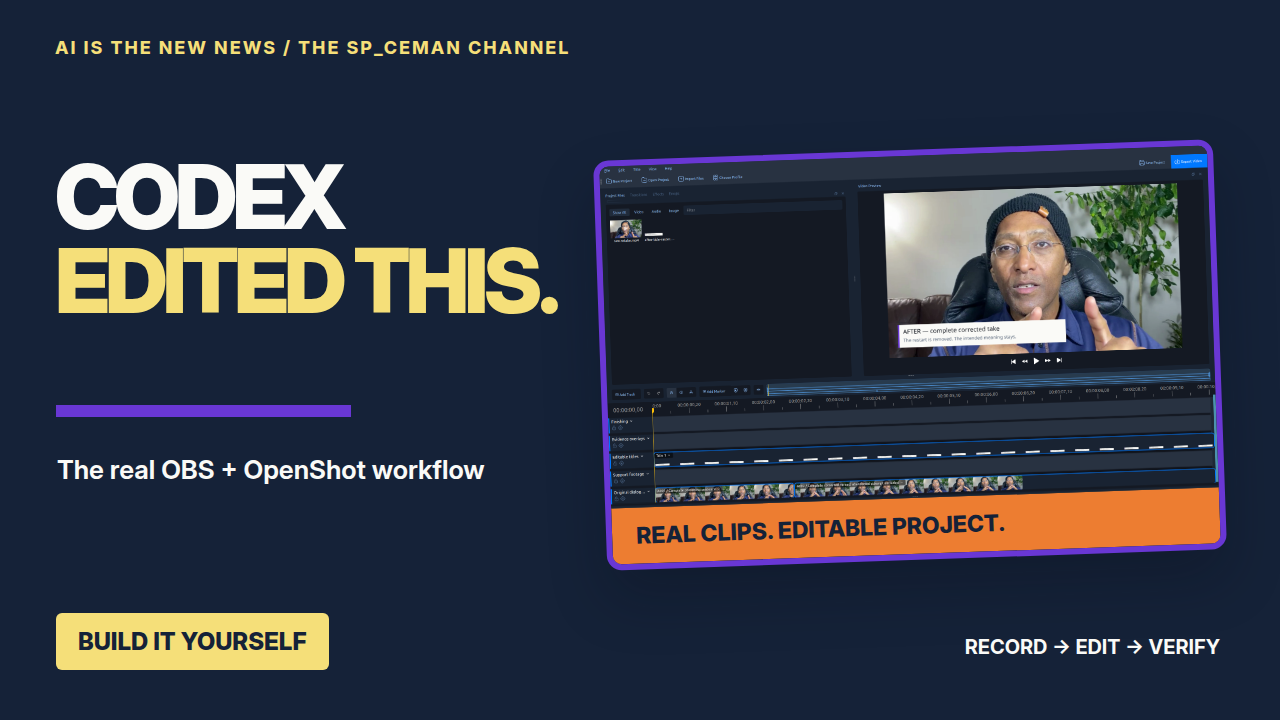
September 24, 2026 · AI IS THE NEW NEWS · The Sp_ceman Channel
I used Codex, OBS and OpenShot to build an editable video workflow for The Sp_ceman Channel. These are the companion files for How Codex Edits My YouTube Videos: the complete instructions, reusable scripts, real practice recording and illustrated guides.
Start with the full Markdown on this page. Copy it into a local Codex session, or download the small file and attach it. It contains the complete instructions and source code. The larger viewer kit is optional and adds the real practice recording, screenshots and illustrated guide.
Read and copy the full Markdown · Download options · What to build first
Small download first; complete kit when you need it
Save the full Codex Markdown — about 140 KB
The complete setup instructions and embedded source files in one document. Prefer a ZIP containing the .md file? Extract it to get FULL-SETUP-HANDOFF.md.
Expand the complete Markdown on this page to copy
Use Copy full Markdown or Select all Markdown in the section below, then paste the complete text into your local Codex session. The Save link creates FULL-SETUP-HANDOFF.md from this page; if scripting is unavailable it downloads the small ZIP instead. Extract that ZIP to get the same file. Attaching the Markdown file is usually easier than pasting a long document.
Read or download the verification summary · File checksums
Optional: download the complete compact viewer kit — ZIP, 8.7 MB
Choose this if you want the creator’s real practice recording, screenshots and illustrated tutorial. It also contains the Markdown, guides, scripts, tests, mask and font. Extract the ZIP, then open VIEWER-KIT/TUTORIAL.html. You do not need to download both routes.
To keep the download small, the two practice videos are compressed to 720p with their original audio and timing preserved. The supplied scripts and guides are unchanged. The practice workflow still produces and verifies a 1080p output; the sample’s picture detail is limited by its 720p source. Use your own Full HD recordings for your real episodes.
Nothing downloads automatically. Reading or copying the Markdown does not fetch the 8.7 MB kit. The files are free to download; separate software and account terms still apply.
The original bundled handoff was prepared before this page launched. Its preparation notes are historical; use the current download links on this page.
Full Codex build Markdown — copy and paste
This is the entire tested handoff, including all 15 embedded source files. Downloading and attaching the small Markdown file is equally valid. Keep the complete text intact.
Expand the complete Markdown (about 140 KB)
# Build your own Codex video workflow

AI IS THE NEW NEWS · The Sp_ceman Channel · Issiah Hill

This is the full, portable Markdown handoff for the tutorial. Give this file to Codex in a local workspace, or read the manual instructions below. It includes the source code needed to create the folder system, copy and check footage, build a native OpenShot project, render HD video, verify it and archive used sources.

**Publishing state:** prepared for a future download. No public download URL is being claimed. The tutorial tells viewers that the full prompt, Markdown handoff and viewer kit will be posted soon.

**Model credit:** Issiah made this workflow with **Codex using Astra Max**. The included scripts run locally and do not require that specific model. Use the model and reasoning options available in your own account.

## Choose your starting route

1. **Downloaded viewer ZIP:** extract VIEWER-KIT, open TUTORIAL.html, follow the beginner instructions, then run the included real practice clip. This includes the screenshots, mask, font and real before/after media.
2. **Only this Markdown:** give the entire file to Codex. Ask it to materialize the embedded files into a new directory, verify their SHA-256 values, and follow the complete production brief. The binary recording is not embedded in Markdown. Use create_practice.py to generate a clearly labelled setup test, then use your own recording. This does not recreate the creator's actual before/after evidence.
3. **Manual setup:** extract the files using the command below, read docs/START-HERE-FOR-BEGINNERS.md, and follow docs/WORKFLOW.md. You will need a compatible native runtime and your own OBS hardware test.

The demonstrated native automation route is **Linux x86_64, OpenShot 4.0.0 AppImage, Python 3, FFmpeg/ffprobe and a C compiler**. A different OS needs an explicitly tested adapter. The OBS, OpenShot, DroidCam and Codex official pages offer platform-specific choices, but these links do not certify this Linux script on another OS.

## The full instruction to give Codex

# Copy this into Codex after adding the viewer kit

Build my video workflow using FULL-SETUP-HANDOFF.md and the files in this kit. I am a beginner. Explain each new tool in plain language and give me the next action in small steps.

Use a NEW folder in my Videos directory. First inspect my operating system, CPU architecture, free disk space, installed OBS, OpenShot, Python, FFmpeg and compiler. Identify the exact application/package variants. Do not reinstall working software or touch existing OBS scenes, camera sources, audio routing or display settings. If installation is needed, show the official source and specific changes before requesting the permissions needed to perform them.

Keep account sign-in, camera pairing, screen capture permissions and microphone selection under my control. Do not put credentials, phone addresses, device IDs, account files or private screen contents into the handoff, logs or public video. A chat without local tools must hand me these instructions rather than pretend it changed my machine.

For Linux x86_64, use the supplied native OpenShot 4.0.0 AppImage route. If my OS or runtime is different, assess and implement an equivalent native route only when you can test it here. Do not claim the Linux build proves Windows, macOS or phone capture works. A fallback explanation is not a completed installation.

Run the bundled 21-second example through sample intake, plan validation, native project build, preview, full render, full-file decode, source preservation and archive. Verify the expected 302 retained frames at 1920×1080, 30 fps, with audio. Open the project and the result for inspection. For a Markdown-only kit, first create the clearly labelled synthetic setup fixture; do not describe it as the creator's real before/after recording.

Then help me create a NEW OBS profile and scene collection if I need a new recording setup. Follow the documented screen, camera, clone, mask and audio routing. Use my actual hardware and a background I own. Record a short local hardware test, switch fullscreen camera → desktop/PIP → desktop only, and verify the saved recording. Stop at any screen permission or account action that only I can provide.

For my real episode, ask for the topic, intended viewer, recordings, voices to retain, style and final purpose if those details are missing. Create the standard episode folders. Copy and hash originals; do not move or delete them. Review the footage, locate full retakes, retain useful personal additions, remove false starts and unrelated voices, and document exact source ranges. Never manufacture a statement, a result, a model conversation, or a before/after proof. If overlapping speech prevents a clean edit, identify the line that needs rerecording.

Keep the native OpenShot project editable. Use diagrams and clear text when they teach something, genuine application captures when demonstrating settings, and actual tool output when proving a build. Use a strong honest opening followed by setup, action, a result and a useful next step. Do not pad the running time. Do not promise algorithmic reach or monetization.

Prepare original dialogue with modest cleanup and consistent levels; preserve voice, meaning and lip sync. Keep music optional and unobtrusive. Use yellow for actions, purple for headings, orange for step numbers and dark blue for technical material when following this channel's design. The creator identifies the production model selection as Codex with Astra Max; do not imply that a specific model is required for the deterministic scripts.

Preview critical joins and graphics, then export MP4 H.264/AAC, 1920×1080, 30 fps. Verify frame count, whole-file decode, dimensions, original hashes, export hash, audible dialogue, title placement, unwanted voices and privacy. Keep technical checks separate from human listening/meaning review. Never certify a review you could not perform.

Save title, description, accurate chapters, captions, thumbnail and the reproduction report. Copy used originals to the episode archive and explain that a separate-device backup is still needed. Preserve previous exports and manual GUI revisions. Do not upload or send anything without my request. Report the actual artifact locations, completed checks, exact remaining issues and next action.


## Extract the complete source files manually

Save this file as FULL-SETUP-HANDOFF.md in a folder of your choice. Open a terminal in that folder. The command below creates a new BUILD-YOUR-VIDEO-KIT directory. It verifies the embedded hashes and refuses conflicting files. It does not install software, access an account, change OBS or upload anything.

```bash
python3 - <<'PY'
from pathlib import Path
import re, hashlib
source = Path("FULL-SETUP-HANDOFF.md").read_text()
root = Path("BUILD-YOUR-VIDEO-KIT").resolve()
pattern = r"<!-- BEGIN_FILE ([A-Za-z0-9_./-]+) ([a-f0-9]{64}) -->\n`````text\n(.*?)\n`````\n<!-- END_FILE -->"
items = re.findall(pattern, source, re.S)
if not items:
    raise SystemExit("No embedded files found; use the complete handoff.")
pending = []
for relative, expected, body in items:
    path = (root / relative).resolve()
    if not path.is_relative_to(root) or path == root:
        raise SystemExit("Unsafe embedded path")
    data = (body + "\n").encode()
    if hashlib.sha256(data).hexdigest() != expected:
        raise SystemExit("Embedded file changed: " + relative)
    if path.exists() and (not path.is_file() or path.is_symlink() or path.read_bytes() != data):
        raise SystemExit("Existing file preserved: " + relative)
    pending.append((path, data))
for path, data in pending:
    path.parent.mkdir(parents=True, exist_ok=True)
    if not path.exists():
        with path.open("xb") as out:
            out.write(data)
print("Verified and created", len(pending), "files in", root)
PY
```

Then, after installing the documented dependencies on your own computer:

```bash
cd BUILD-YOUR-VIDEO-KIT
python3 tools/materialize_mask.py
python3 tools/create_practice.py
python3 -m unittest discover -s tests -v
python3 tools/setup_viewer.py --root "$HOME/Video-Workshop" --episode Episode-001 --appimage "$HOME/Applications/OpenShot-v4.0.0-x86_64.AppImage"
```

The create_practice.py command creates a labelled generated test card and quiet tone. The expected result is still a native 302-frame project/export, but it proves installation and rendering, not editorial retake quality. The full ZIP is the route for reproducing the real recorded example. Do not run create_practice.py over an existing real sample.

## Exact inspected OBS setup, and beginner instructions

# Start here — no command-line experience needed

This tutorial has two routes: follow the steps yourself, or let a local coding agent carry out the same steps and show its test results. Start with the short example before editing an entire episode.

The video announces that the full prompt, Markdown handoff and viewer kit will be posted soon. Until the creator publishes a download link, do not assume an unlisted URL exists. The files supplied with this package are the material prepared for that release.

## What you are building

OBS records your screen, camera and voice. DroidCam can turn your phone into the camera. Codex helps plan the edit and run the supplied scripts. OpenShot holds the editable timeline. FFmpeg creates and checks the MP4. Your original recordings remain separate from the finished video.

The worked automated example was tested on **Linux x86_64**. OBS and OpenShot also offer native Windows and macOS downloads. Their native apps are not the same as the Linux AppImage runtime used by these scripts. On another platform, ask Codex to inspect compatibility and verify an adapted route; do not paste Linux installation commands into PowerShell or claim that another platform was already tested.

## 1. Get the applications from their official sites

| Application | Start at this page | What to choose |
|---|---|---|
| OBS Studio | https://obsproject.com/download | Choose Windows, macOS or Linux. The demonstrated Linux installation uses the official Flathub package. |
| OpenShot | https://www.openshot.org/download/ | Choose the stable release for your OS. The tested automation uses **OpenShot 4.0.0, Linux x86_64 AppImage**, not a daily build. |
| DroidCam | https://droidcam.app/obs/ | Get the phone app **and** its matching OBS plugin. Select the plugin for your OS/OBS installation. A regular webcam can also be used if you do not need a phone camera. |
| Codex desktop route | https://learn.chatgpt.com/docs/app | Follow the current official application download and account sign-in instructions. |
| Codex terminal route | https://learn.chatgpt.com/docs/codex/cli | Use the official installer and then run `codex` from the kit directory. |
| Python | https://www.python.org/downloads/ | The scripts require Python 3.9 or newer on the host. Linux distribution packages are also suitable. |
| FFmpeg / ffprobe | https://ffmpeg.org/download.html | Follow the official platform links or your distribution packages. |
| Flatpak / Flathub | https://flatpak.org/setup/ | Choose your Linux distribution and complete its instructions before using a Flathub install command. |

OBS and the direct OpenShot downloads are free/open source. Codex model access follows your account's current terms. DroidCam has optional paid features. Do not purchase anything just to complete the included sample render; first check what is already installed and what feature you actually need. OpenShot's Windows Store route can be paid while the direct EXE is free; choose deliberately.

The exact recording settings and optional Source Clone / Background Removal plugin links are in **OBS-SETUP.md**. Install plugins for the OBS packaging you actually use. A native OBS plugin should not be copied into a Flatpak installation.

## 2. If you are starting in ChatGPT or Copilot

You can paste the starter prompt below into the assistant you already know. A chat without local file/terminal tools can explain the steps, but cannot prove that it installed programs or rendered a file on your computer.

> I am a beginner. Help me set up the “How Codex Edits My Videos” workflow from The Sp_ceman Channel. First ask what operating system I use if you cannot inspect it. Explain how to open Codex with access to a NEW local video folder. I have the supplied viewer kit or standalone Markdown handoff. Walk me through account sign-in privately, choosing the folder, and attaching the handoff. Then have the local agent inspect dependencies, preserve existing OBS/display settings, build the practice project, export it and verify it. Explain each necessary click or command in plain language. Do not claim that anything ran unless a real result was observed.

In the **ChatGPT desktop app**, the current official instructions describe selecting **Codex** from the ChatGPT dropdown and choosing **Local** for work in the current project folder. Open/add the new video folder and attach the handoff or paste its full contents. Complete sign-in privately. A cloud-only task does not automatically have your local OBS devices or recordings. [Official environments guide](https://learn.chatgpt.com/docs/environments/modes).

In **VS Code**, open the new folder using **File → Open Folder**, then use an agent interface with access to that folder and its terminal. Current VS Code supports multiple agent providers, including Codex where installed/available. Select the provider you intend to use; Copilot and Codex are not interchangeable product names. If you only have a chat view without execution tools, use it to guide you into the local Codex route. [Official VS Code agent overview](https://code.visualstudio.com/docs/agents/overview).

## 3. If you choose the terminal route

A terminal is an application where you type commands. On Linux, open your application launcher and search for **Terminal**. Some file managers also offer **Open in Terminal** when you right-click inside a folder.

Extract the viewer ZIP using your file manager. Open the resulting **VIEWER-KIT** folder, then open a terminal there. That is the folder containing `README.md` and `tools`.

- Paste one command at a time and press **Enter**.
- A command is not a sentence for the chatbot. Type shell commands in the terminal and instructions for Codex in its prompt box.
- Do not type a decorative `$` prompt shown in a screenshot.
- Keep quotation marks around paths containing spaces.
- `pwd` shows the current folder; `ls` lists its files; `cd` changes folder.
- Password prompts may show no characters as you type. Enter passwords privately; never paste them into the tutorial or handoff.

If Codex is already installed, check it with `codex --version`; do not reinstall needlessly. Then type `codex`, sign in using the offered supported method, and give it **prompts/SETUP-AND-TEST.md** or the complete **FULL-SETUP-HANDOFF.md**.

For a new Ubuntu/Debian viewer machine, WORKFLOW.md gives the dependency commands. The `sudo` commands install software and can request your administrator password. These installation instructions are for your own new setup; they were not run to replace the creator's working software.

## 4. Tell Codex exactly where to work

Copy this instruction after attaching the handoff:

> Read FULL-SETUP-HANDOFF.md and follow it. Use a new folder called Codex-Video-Workflow in my Videos directory. Start by inspecting my OS, installed programs and available local tools. Explain any installation that is needed. Preserve existing recordings, projects, OBS scenes and monitor settings. Keep me involved for account sign-in, phone pairing and screen permissions. Run the supplied example all the way through native project creation, preview, HD export, full-file decode, source-preservation check and archive. Give me clickable output locations and the exact checks that passed. If a step fails, investigate its cause and repair it before continuing; do not label a partial result complete.

Issiah made this workflow with **Codex using Astra Max**. Choose a model and reasoning setting available in your own account. The included practice scripts run locally and do not require that specific model. [Official model-selection guidance](https://learn.chatgpt.com/docs/model-selection).

## 5. Test OBS on your own hardware

Create a new OBS profile and a new scene collection if you are starting a separate setup. Follow OBS-SETUP.md for canvas, recording, audio, camera, clones and PIP. Select **your own** microphone, phone and captured screen; never copy another person's device IDs or tokens.

Make a short test recording. Switch from fullscreen camera to desktop plus camera, then desktop only. Open the saved file. Check a stable picture, one clean voice, no echo and no repeating tunnel. On Issiah's workstation OBS stays on the ThinkPad and captures the other screen; nothing about that working arrangement should be changed for this tutorial.

## 6. What a successful first run looks like

Your new episode contains a real `.osp` OpenShot project and a `finished.mp4`. The included practice edit is 302 frames, about 10.067 seconds, at 1920×1080 and 30 fps. Its report confirms full-file decode and unchanged source copies. Open the project and the MP4, and listen across the edit. Then give Codex your own recording and a clear editing brief.

A folder or a “done” message alone is not the test. The outcome is a playable checked file, an editable project, preserved originals and a useful report. Camera permissions, microphone quality and an adapted operating-system route must be checked on your machine.

Official pages checked during tutorial production on 23–24 September 2026. Use their current supported installers when following the guide; keep the automation's tested runtime version distinct from a new release.


# OBS: the inspected Sp_ceman recording setup

**Read-only inspection of saved settings, 23 September 2026.** This documents the existing setup; it is not permission to reconfigure Issiah's system. Phone pairing and a new live audio/camera test have not been performed for this tutorial.

## Preserve the working two-screen arrangement

Issiah confirms that opening OBS on the **Samsung monitor** produces infinite windows. He opens OBS **only on the ThinkPad**, where picture-in-picture works correctly. Keep that arrangement. Do not alter GNOME screen assignment, primary display, resolution, scaling, layout or refresh rate, and do not reselect the existing capture source.

For someone setting up their own computer: place OBS on a screen that is not being captured, and choose the intended demonstration screen in the system's capture chooser. If OBS itself is visible in that capture, the preview captures its own preview repeatedly. This is screen recursion, not a reason to change a working monitor configuration.

## The actual installed combination

| Component | Inspected version |
|---|---|
| OBS Flatpak `com.obsproject.Studio` | 32.2.2 |
| DroidCam plugin | 2.5.1 |
| Source Clone plugin | 0.2.3 |
| Background Removal plugin | 1.3.3 |
| Move Transition plugin | 3.2.1; installed, but the saved transition is Fade |

Launch the same installation with `flatpak run com.obsproject.Studio`. A separate native OBS installation exists on the production machine; do not accidentally configure that one instead. The settings inspected here belong to the Flatpak installation.

For a NEW viewer installation with Flathub already configured, the relevant plugin commands are:

```bash
flatpak install flathub com.obsproject.Studio.Plugin.DroidCam
flatpak install flathub com.obsproject.Studio.Plugin.SourceClone
flatpak install flathub com.obsproject.Studio.Plugin.BackgroundRemoval
```

Confirm available versions and compatibility before accepting installation. Move Transition is not required to reproduce the saved Fade transition. See [DroidCam](https://droidcam.app/obs/), [Source Clone](https://github.com/exeldro/obs-source-clone) and [Background Removal](https://github.com/royshil/obs-backgroundremoval).

## Profile and scene collection are different

The active saved profile and collection were both named `Untitled`. Profiles carry recording/output settings; scene collections carry scenes, sources and associated audio sources. A viewer should create a **new** profile and a **new** scene collection before building their version. Never import over an existing working collection.

The public `OBS-SETTINGS-INSPECTED.json` is a descriptive audit, **not an OBS import file**. Phone addresses, device IDs, stream credentials and desktop-portal tokens are deliberately omitted. A raw OBS scene export is not a safe public tutorial download.

Reference: [OBS scene collections](https://obsproject.com/kb/scene-collections).

## Recording settings: where to click and what to enter

In a new viewer profile, open **Settings → Video**:

| Setting | Saved value |
|---|---|
| Base (Canvas) Resolution | 1920×1080 |
| Output (Scaled) Resolution | 1920×1080 |
| Common FPS Values | 30 |
| Downscale filter | Saved as bicubic; no downscale is required when resolutions match |

Open **Settings → Output**, choose **Simple**, then the **Recording** section:

| Setting | Saved value |
|---|---|
| Recording Quality | High Quality, Medium File Size |
| Recording Format | Hybrid MP4 |
| Video Encoder | Software (x264) |
| Recording track | 1 |
| Audio bitrate | 160 kb/s saved in Simple Output |

Choose your own intake folder as the recording path. The screenshot's isolated copy uses a different path; it is not an instruction to record in Issiah's home folder. The Streaming section's 6000 kb/s field is **not the recording bitrate** for this separate recording-quality mode.

Open **Settings → Audio**: 48 kHz, Stereo. The owner has one Mic/Aux PulseAudio input selected, unmuted at 0 dB, no saved source filters, zero sync offset and monitoring off. Device identity is machine-specific and omitted. Select your own microphone in a new setup, speak a test sentence and listen to a short local recording.

The inspection screenshot deliberately has physical audio devices disconnected. Do not copy its disabled Mic/Aux selector as the owner's real microphone setup.

## Build the base camera once

1. On your phone, install the DroidCam app appropriate to your device and grant camera permission.
2. On the new OBS collection, add the DroidCam source. Pair your own device using the plugin's supported USB or local network procedure.
3. The source in Issiah's setup is named `DroidCam OBS Iphone 11 Plus`, with 1280×720 camera resolution. A different phone can supply the camera; its name and connection details must be yours.
4. The plugin's audio option is enabled in the saved source, but the **OBS source is muted**. All three camera clones below have cloned audio disabled. The separate microphone supplies narration; do not accidentally record the same voice twice.
5. Establish a stable camera picture before making clones. A saved transform is not proof that a disconnected camera is delivering frames.

## The scenes and source order

In OBS's Sources list, the upper source is drawn over lower sources. For a NEW collection build these scenes:

| Scene | Bottom → top | Purpose |
|---|---|---|
| 1 - Desktop + Me | Screen Capture (PipeWire) → PIP - Rounded Camera Clone | Walkthrough with a camera inset |
| 2 - Desktop Only | Screen Capture (PipeWire) | Readable application demonstration |
| 3 - Camera Fullscreen | Original camera hidden → 3 - Fullscreen Camera Clone visible | Direct address |
| Helper - Keyed Camera | Sp_ceman Camera Clone | One reusable background-removed camera scene |
| 4 - Me + Background | Studio background → Helper - Keyed Camera | Presenter over a background |
| 5 - Background Only | Studio background | Clean background scene |
| Backup - Desktop + Me | Screen Capture → smaller PIP clone | Saved alternative layout |

Choose the existing screen source when reusing it within your NEW collection instead of opening another capture connection. The desktop-only and main desktop scenes fit that screen to the 1920×1080 canvas. The saved transition is **Fade, 300 ms**; no scene-switch hotkeys were present in the inspected scene list.

Reference: [OBS sources](https://obsproject.com/kb/sources-guide).

## Exact picture-in-picture geometry

Create a Source Clone referencing the base camera. The main PIP clone is active, video only, with cloning filters allowed. Add **Filters → Effect Filters → Image Mask/Blend**. Select the provided rounded rectangle mask and **Alpha Mask (Alpha Channel)**. The saved filter is called `HEAD SHOT CIRCLE MASK`, but the actual supplied PNG is a **rounded rectangle**, not a circle.

Mask: `sample/OBS_Rectangle_Mask_1024.png`, 1024×1024 RGBA. It has a transparent outer area and opaque rounded inner area. Preserve the file itself.

Select the PIP in `1 - Desktop + Me`, then **Transform → Edit Transform**. These are the saved values:

| Field | Main PIP | Backup PIP |
|---|---:|---:|
| Position X / Y | 1145 / 576 | 1466 / 816 |
| Resulting size at a 1280×720 camera input | 805×453 | 395×222 |
| Rotation | 0° | 0° |
| Alignment | Top left | Top left |
| Crop L / T / R / B | 0 / 0 / 0 / 0 | 0 / 0 / 0 / 0 |
| Bounding box | None / Automatic in the inspected UI | None / Automatic in the inspected UI |

The main PIP reaches X=1950, which is **30 pixels beyond the right edge of the 1920-wide canvas**. That is the inspected layout. It has not been moved or “corrected.” A viewer should reproduce these values only with the same input dimensions, or deliberately choose their own inset position.

The fullscreen clone references the same camera, uses **no source filters**, disables cloned audio, and scales 1280×720 by 1.5 to fill 1920×1080 at 0,0.

## Presenter with background removal

`Sp_ceman Camera Clone` references the same base camera, with filters allowed and cloned audio off. Its enabled `Sp_ceman Background Removal` filter uses:

| Setting | Saved value |
|---|---|
| Advanced settings | On |
| Model | Selfie segmentation (`selfie_segmentation.onnx`) |
| Processing | CPU, 2 threads |
| Threshold enabled / value | On / 0.5 |
| Contour filter | 0.05 |
| Smooth contour | 0.4 |
| Mask expansion | 0 |
| Feather | 0.04 |
| Mask update | Every frame |
| Background blur | 0 |
| Focal blur | Off |
| Temporal smoothing | 0 |
| Image similarity | Off |

The separate filter on the **Helper scene itself is disabled**. Do not enable a second remover simply because it exists in the saved file. Put your own background image beneath the Helper scene in `4 - Me + Background`.

The inspected owner's studio image uses scale 1.333333373, crop left/right 4, top 108, bottom 168. These values are tied to that particular image and are not a universal crop recipe. The owner's background image is not included as a general licensed asset; use an image you own.

Reference: [OBS filters](https://obsproject.com/kb/filters-guide).

## Test your new setup before recording a whole episode

Record a short local test: one sentence on fullscreen camera, a move to desktop plus PIP, and a move to desktop only. Keep OBS off the captured display. Open the saved file outside OBS. Confirm a stable inset, readable screen, one clean voice, no echo, no screen recursion and no private notifications. Check frame size, frame rate and audio with `ffprobe`.

This hardware test must happen on the viewer's machine. Codex can create folders, inspect settings, build titles, run media checks and report exact failures; it cannot silently grant phone permissions, choose a private screen on the owner's behalf or prove microphone quality from a settings file.


# From recording to a verified video

## 1. Know what each tool does

| Tool | Its actual job in this workflow | Cost / boundary |
|---|---|---|
| OBS Studio | Records the screen, camera and selected audio; composes picture-in-picture live | Free, open source; setup is hardware dependent |
| Codex CLI | Reads the brief, helps review material, authors edit decisions and runs the approved scripts | Open-source client; model access depends on your account and current plan/usage terms |
| Python scripts in this kit | Folder creation, intake, hashes, edit validation and repeatable builds | Source included; no paid service called by these scripts |
| OpenShot / libopenshot | Native editable timeline, clips, title layers, composited frames and audio | Free, open source; tested runtime is OpenShot 4.0.0 Linux AppImage |
| FFmpeg / ffprobe | Media inspection, H.264/AAC encoding and full-file decode verification | Open source; licence depends on build options |
| DroidCam OBS | Connects the phone camera to OBS in this inspected setup | Phone app and OBS plugin; optional paid features exist |
| Source Clone + Background Removal | Separate camera treatments without rebuilding the scene for each shot | Optional OBS plugins; version compatibility matters |

The benefit here is a reusable, inspectable build: the raw recording, decisions, editable project and finished output all remain available. An all-in-one editor can also make excellent videos; this approach is useful when you want Codex and scripts to repeat the mechanical work while you control the story.

Sources: [OBS quick start](https://obsproject.com/kb/quick-start-guide), [OpenShot download](https://www.openshot.org/download/), [Codex CLI](https://learn.chatgpt.com/docs/codex/cli), [current OpenAI pricing](https://learn.chatgpt.com/docs/pricing), [FFmpeg licensing](https://ffmpeg.org/legal.html), [DroidCam OBS](https://droidcam.app/obs/). Checked 23 September 2026; check versions again when installing.

## 2. Prepare a new viewer machine

On a Linux x86_64 computer, obtain OBS, FFmpeg, Python 3 and a C compiler from your distribution or the tools' official sources. Download the OpenShot 4.0.0 x86_64 AppImage from the official OpenShot site. Make that downloaded file executable using its Properties → Permissions dialog. This kit extracts it into its own `.runtime` directory; it does not edit your installed OpenShot or require a system Python package for libopenshot.

On Ubuntu/Debian, the following is a **viewer installation example**, not a command run against Issiah's existing setup:

```bash
sudo apt update
sudo apt install python3 ffmpeg build-essential flatpak curl
flatpak install flathub com.obsproject.Studio
```

If Flathub is not configured, follow its official distribution setup first. Review package versions and prompts. Do not mix plugins built for native OBS with Flatpak OBS. Plugin install examples and exact inspected versions are in the OBS guide. We inspected an existing installation; a clean operating-system install has not been certified by this tutorial.

Install Codex using the current official CLI instructions linked above. The official installer can be downloaded and inspected before running it, in a new viewer-owned directory:

```bash
curl -fsSLo codex-install.sh https://chatgpt.com/codex/install.sh
less codex-install.sh
sh codex-install.sh
codex --version
```

These are viewer installation instructions, not installation commands run on Issiah's existing host. If Codex is already installed, inspect its version and skip reinstalling it. Start it from the kit directory with `codex` and complete its account sign-in yourself. Do not place account files, API keys or login screens in your episode package. The original command demonstration used Codex CLI 0.153.4; the later narration-build environment reported 0.156.1. These are recorded versions, not required model-access versions. No model access is needed to run the small bundled demonstration once its dependencies are present.

## 3. Understand the folder map

```text
Your-Video-Workspace/
  obs-recordings/
    LIVE-AUTOMATION-BUILD/       finished recordings waiting for intake
    USED-VIDEO-ARCHIVE/
      Episode-001/media/        verified copies of sources actually used
  Episode-001/
    01-RAW-VIDEO/               preserved intake copies
    02-EDITOR-PROJECT/          edit-plan.json, episode.osp, project assets
    03-AUDIO-IMAGES-ASSETS/     titles, derived sound, verification
    04-FINAL-EXPORT/           preview.mp4, finished.mp4
    05-THUMBNAIL/              editable and upload artwork
    06-YOUTUBE-INFORMATION/    title, description, chapters, captions
    ASSETS/                    references you supplied
    BUILD-AUTOMATION/          brief, intake and archive manifests
```

From the kit directory, copy the commands in README in order. `sample` creates all folders, copies the supplied footage and installs its exact example edit plan. For your own episode, start with `init`, record into your intake location, stop OBS recording, then use `intake`:

```bash
python3 tools/workflow.py init --root "$VIDEO_WORK" --episode Episode-002
python3 tools/workflow.py intake --root "$VIDEO_WORK" --episode Episode-002 --source "$VIDEO_WORK/obs-recordings/LIVE-AUTOMATION-BUILD"
python3 tools/workflow.py inspect --root "$VIDEO_WORK" --episode Episode-002
```

Checkpoint: open `BUILD-AUTOMATION/INTAKE.json`. Every copied source has its original path, size, digest and media probe. Intake can be repeated for identical files. A same-name file with different content stops the copy instead of replacing the old file. Never intake a recording still being written.

Manual equivalent: create the directories in your file manager, copy rather than move footage, run `sha256sum` on original and copy, and inspect each file with `ffprobe`. The script performs these steps together and saves their results.

## 4. Record in short sections

Use the matching OBS scene, keep the script close to camera height, and record one idea at a time. Leave roughly two seconds of room at each end. If you stumble, pause and repeat the **whole sentence**, including its subject. Do not restart with half a word. Name recordings by section and take, such as `N04-take02.mp4`.

The later complete take is a candidate, not automatically the winner. Listen for clipped words, changed meaning, overlap and unexpected voices. Retain only Issiah and any explicitly wanted Codex voice. Remove unrelated speech or replace the affected line with a clean recording. If private text scrolls, a cover must remain over the entire affected region through the cuts. Soft blur is not a reliable way to remove sensitive text.

## 5. Give Codex a concrete editing brief

Use the supplied `prompts/EDIT-AN-EPISODE.md`. Tell it the topic, intended viewer, actual proof, style, people to keep, material to remove and final format. Require source ranges and reasons for cuts. Ask for missing narration rather than invented footage or fabricated results.

The real process used for the demonstration was: identify the false start, locate the complete rereading, write the two retained frame ranges, add a title, validate the plan, build the native timeline, render and verify. The sample plan is the actual input to that build; it is not a transcript claiming Codex autonomously chose every frame.

## 6. Read the edit plan

The kit uses 30 frames per second, with **zero-based start-inclusive, end-exclusive** ranges. Source frame 30 corresponds to one second. This example preserves 75 + 227 = 302 frames:

```json
{
  "fps": 30,
  "width": 1920,
  "height": 1080,
  "segments": [
    {"id": "opening", "source": "01-RAW-VIDEO/raw-retake.mp4", "in_frame": 0, "out_frame": 75},
    {"id": "corrected-take", "source": "01-RAW-VIDEO/raw-retake.mp4", "in_frame": 356, "out_frame": 583}
  ],
  "overlays": [
    {"file": "03-AUDIO-IMAGES-ASSETS/after-title.svg", "start_frame": 0, "end_frame": 302}
  ]
}
```

The 21-second source is one continuous excerpt from an existing recording. It contains the repeated attempt and pause; the selected output is about 10.067 seconds. This is a real editorial cut, not a speed-up or AI-generated replacement performance. The supplied title stays on its own editable layer.

Before using recordings with another frame rate or variable timing, explicitly conform a derived copy and keep the original. This tested profile does not silently reinterpret 60 fps or 29.97 fps footage as 30 fps.

```bash
python3 tools/workflow.py validate --root "$VIDEO_WORK" --episode Episode-001
```

Checkpoint: VALID, 302 frames, about 10.067 seconds. Missing files, altered source hashes, duplicate segment IDs, overlapping base positions and out-of-range titles are errors to resolve before building.

## 7. Build and inspect the native project

Run `build` from README. Open `Episode-001/02-EDITOR-PROJECT/episode.osp` with OpenShot 4.0.0. The file panel contains the source and title image; the timeline contains two retained clips and an overlay layer. Scrub across the join and listen to the sentence. Use File → Save Project As for a manual revision.

In a fully manual edit, import the raw clip, select the 1080p30 profile, split at the selected times, remove the unwanted interval, close the gap and place the title on a higher track. Match the same source ranges and compare the result. The script automates those timeline operations; it does not remove your ability to adjust them in OpenShot.

Do not regenerate a project after making GUI edits without reconciling them into the edit plan. The builder detects a changed project hash and stops rather than erasing your manual work. Keep a revision folder for a changed final export.

## 8. Preview, export and prove the result

```bash
python3 tools/workflow.py preview --root "$VIDEO_WORK" --episode Episode-001 --appimage "$VIDEO_APPIMAGE" --seconds 5
python3 tools/workflow.py render --root "$VIDEO_WORK" --episode Episode-001 --appimage "$VIDEO_APPIMAGE"
python3 tools/workflow.py verify --root "$VIDEO_WORK" --episode Episode-001
```

Do not run `render` again over an existing `finished.mp4`; the tool preserves it. Choose a new episode/revision for a changed cut. In OpenShot's GUI the comparable export target is Web → YouTube HD → 1920×1080 → High. The supplied deterministic renderer uses native OpenShot frames and audio, FFmpeg H.264 High at CRF 18, 30 fps, AAC 256 kb/s, 48 kHz stereo, and fast-start MP4. These are the script's explicit settings, not a claim that every GUI preset has identical encoder parameters.

Checkpoint: `03-AUDIO-IMAGES-ASSETS/verification/VERIFY.json` reports the dimensions, frame count, digest and whole-file decode. The demonstration's initial native rendering and mux took approximately 16.51 seconds on this machine. That timing excludes setup, model work and editorial review; it is not the total time needed to produce a video.

Watch the **entire** export, with headphones and once on a smaller screen. Check sentence continuity, screen readability, title collisions, private text, sound levels and the first/last frames of covers. Do not mark publish-ready until this review is recorded.

## 9. Archive and package

Run `archive` from README. It copies only registered EDL-used recordings into `USED-VIDEO-ARCHIVE/Episode-001/media`, verifies their hashes and leaves originals where they were. Back up this workspace separately; a second folder on the same disk is not protection against disk failure.

Write the title, description and thumbnail around the same specific outcome. Add accurate chapters **after** the final timeline is locked. Preserve the GoFundMe link alongside the other project links. Upload only when the owner explicitly requests publishing.

## 10. Troubleshoot the failing step

| Symptom | Check |
|---|---|
| Black phone picture | Phone app permission, same connection route, correct camera source; do not reset working monitors |
| Infinite screen tunnel | OBS is visible on the captured screen. In Issiah's setup it stays on the ThinkPad, never the Samsung |
| Echo | The same microphone/phone audio is being captured twice; inspect meters and routing before changing anything |
| Missing plugin | Install the plugin matching the exact OBS packaging and version; restart only when no recording is active |
| Runtime import/ABI error | Confirm the tested OpenShot AppImage and launcher path; do not install random Python bindings into the system |
| Native GUI/sandbox failure | Capture the exact error and request the necessary permission for that owned operation; don't silently disable checks |
| Changed-source or conflicting-file error | Preserve both files; choose a unique filename/revision and update intake deliberately |
| Chopped word or awkward join | Review the surrounding raw footage and select a complete sentence, then rebuild a new revision |
| Technical PASS but poor sound | Technical decoding does not replace listening; repair the edit or record the line again |


## Exact mask from Markdown

The full ZIP includes the actual rounded rectangle PNG used in the demonstration. The embedded materialize_mask.py carries those same public image bytes and verifies their digest before writing them. Run it once to reconstruct the exact 1024×1024 PNG from this Markdown-only handoff. A different existing mask is preserved. The live camera still needs to be paired and tested on your hardware.

## Required final report from the setup agent

List the OS and tool versions, working folder, project and export files, command exit codes, frame count, full decode result, source and archive hash checks, camera/microphone test result and human listening status. Give the exact error for any failed step. Separate technical rendering success from hardware and editorial review. Do not claim all operating systems, every camera or future jobs are guaranteed.

## Embedded files

The following are the actual portable source files, not pseudocode. Preserve each filename and hash when extracting. The Markdown intentionally omits credentials, local private configurations, runtimes, raw scene exports and the creator's full narration media.


### tools/create_practice.py

<!-- BEGIN_FILE tools/create_practice.py 88e72426ceba9ac78c34393bd2ee576a6180180b92e3823aae3065a02fa9defb -->
`````text
#!/usr/bin/env python3
"""Create a labelled synthetic setup fixture when using the Markdown-only handoff.
The ZIP contains the real recording. This fixture is not a recording of a person.
"""
from pathlib import Path
import json,subprocess
KIT=Path(__file__).resolve().parents[1];sample=KIT/'sample';sample.mkdir(exist_ok=True)
target=sample/'raw-retake.mp4'
if target.exists():raise SystemExit('Existing sample preserved. Use it rather than overwriting it.')
font=Path('/usr/share/fonts/truetype/dejavu/DejaVuSans.ttf')
if not font.exists():raise SystemExit('Install a system sans font or adapt this explicit fixture font path.')
vf="drawtext=fontfile="+str(font)+":text='GENERATED SETUP TEST - NOT A REAL RETAKE':fontcolor=white:fontsize=44:x=(w-tw)/2:y=160,drawtext=fontfile="+str(font)+":text='%{pts\\:hms}':fontcolor=yellow:fontsize=64:x=(w-tw)/2:y=470"
subprocess.run(['ffmpeg','-v','error','-nostdin','-n','-f','lavfi','-i','color=c=0x152238:s=1920x1080:r=30:d=21','-f','lavfi','-i','sine=frequency=440:sample_rate=48000:duration=21','-vf',vf,'-af','volume=0.05','-c:v','libx264','-preset','fast','-crf','22','-pix_fmt','yuv420p','-c:a','aac','-ac','2','-movflags','+faststart',str(target)],check=True,timeout=180)
plan={'fps':30,'width':1920,'height':1080,'segments':[{'id':'opening','source':'01-RAW-VIDEO/raw-retake.mp4','in_frame':0,'out_frame':75},{'id':'retake','source':'01-RAW-VIDEO/raw-retake.mp4','in_frame':356,'out_frame':583}],'overlays':[{'file':'03-AUDIO-IMAGES-ASSETS/after-title.svg','start_frame':0,'end_frame':302}],'fixture_type':'GENERATED SETUP TEST; NOT REAL RETAKE EVIDENCE'}
for name,data in [('edit-plan.json',json.dumps(plan,indent=2)+'\n'),('after-title.svg','<svg xmlns="http://www.w3.org/2000/svg" width="1920" height="1080"><rect x="80" y="810" width="1400" height="180" rx="16" fill="#F5DF79"/><text x="115" y="915" font-family="DejaVu Sans" font-size="42" fill="#152238">GENERATED SETUP TEST / 302 selected frames</text></svg>\n')]:
 p=sample/name
 if p.exists():raise SystemExit('Companion fixture already exists; preserved: '+name)
 p.write_text(data)
print('Generated 21-second diagnostic fixture. No live camera or editorial retake proof is claimed.')
`````
<!-- END_FILE -->

### tools/doctor.py

<!-- BEGIN_FILE tools/doctor.py f835f5a776106f265e7ef4091637bf66cec301782c264a0681a5b97bb5f25ba2 -->
`````text
#!/usr/bin/env python3
"""Read-only dependency audit. Never installs or changes settings."""
import argparse,json,platform,shutil,subprocess,sys
from pathlib import Path
ap=argparse.ArgumentParser(description=__doc__);ap.add_argument('--appimage',type=Path);args=ap.parse_args()
checks=[]
def check(name,ok,detail):checks.append({'name':name,'ok':bool(ok),'detail':detail})
check('Linux x86_64',platform.system()=='Linux' and platform.machine()=='x86_64',platform.platform())
check('Host Python >= 3.9',sys.version_info>=(3,9),platform.python_version())
for binary in ['ffmpeg','ffprobe','cc']:
 path=shutil.which(binary);check(binary,path,path or 'MISSING')
 if path:
  flag='-version' if binary.startswith('ff') else '--version'
  p=subprocess.run([path,flag],capture_output=True,text=True,timeout=10)
  check(binary+' version',p.returncode==0,p.stdout.splitlines()[0] if p.stdout else 'No version output')
if shutil.which('ffmpeg'):
 p=subprocess.run(['ffmpeg','-hide_banner','-encoders'],capture_output=True,text=True,timeout=10)
 check('H.264 libx264 + AAC encoders','libx264' in p.stdout and ' aac ' in p.stdout,'Required for the demonstrated export')
check('OpenShot 4.0.0 AppImage selected',args.appimage and args.appimage.expanduser().is_file(),str(args.appimage) if args.appimage else 'Supply --appimage /full/path/to/OpenShot-v4.0.0-x86_64.AppImage')
print(json.dumps({'status':'READY_FOR_DEMO' if all(x['ok'] for x in checks) else 'DEPENDENCIES_REQUIRED','checks':checks,'scope':'Dependency presence only. Run sample, build, render and verify to prove native compatibility. OBS and Codex login are separate checks.'},indent=2))
sys.exit(0 if all(x['ok'] for x in checks) else 1)
`````
<!-- END_FILE -->

### tools/materialize_mask.py

<!-- BEGIN_FILE tools/materialize_mask.py ca05919b4e3e37a7f2714900659d13732e008c2bb35736173997bfee56abb547 -->
`````text
#!/usr/bin/env python3
"""Materialize the exact public rounded rectangle mask; never replace a different file."""
from pathlib import Path
import base64,hashlib
MASK_DATA='iVBORw0KGgoAAAANSUhEUgAABAAAAAQACAYAAAB/HSuDAAAAAXNSR0IB2cksfwAAAARnQU1BAACxjwv8YQUAAAAgY0hSTQAAeiYAAICEAAD6AAAAgOgAAHUwAADqYAAAOpgAABdwnLpRPAAAAAlwSFlzAAALEwAACxMBAJqcGAAAAAd0SU1FB+oIFgIICYyINwQAACAASURBVHja7N1fqGVnecfx33PIOEYk0cQwCRkyGCTCYAMR/xFvJAGhF0Iu0tzZiJhaIQYCJmASFKVVaAsFDWhbEWPvYi4ELwqFSm9a1BYDsQQMRYlEdEijJohxTDhvL2ZtYo8z6dlrr7Xe2Wd/PhCGhOxzTp61YfJ8511rJwAAAAAAAAAAAAAAAAAAAAAAAAAAAAAAAAAAAAAAAAAAAAAAsEPKCADgaGitzfL7elU10wUAAQAA2GxJr/P8fnyh35/3X+1Lz7WoDz/zq/0/w96FXnqev/8//0xcAAABAAC2baE/uCTX+Rbfqtqf8Wd54/B9pvr9vZ37keuXM/7MexeYX7vA/AQDABAAJv0fudNJbkhyfZJTSa5NciLJlUnekOT1SY4nucQMAQAAllvZkryc5GySXyf5VZLnkpxJ8tMkTyf5UZKnkjwpHAsABxf+tyV5T5J3JrkpyY3Dcg8AAMD2OpvkiSSPJ/mPJN+pqv8SAHZr4T+R5P1Jbk3yvpz7E34AAACOvqeT/GuSf0nyz1V1RgA4ekv/NUluS/KBJH/sPQ8AAECSf0ryrSTfrKqfCQDbvfjfluSOJLcnOea9DQAAwHm8lOSxJI9W1TcFgO1Z+q9KcmeSD+bc/fwAAABwWE8k+cckj1TVswLAxbn4vznJXUk+nHNP7AcAAICxziT5apJ/qKofCwAXx+J/MsnHkvx5kiu8RwEAAJjQL5J8OcmXquoZAaDP4n88yT1J7k5ynfckAAAAM/pJkoeTfKGqzgoAyy3/tye5N8nN3oMAAAAs6N+T/G1VPSYAzLv4vyXJfUn+zHsOAACAjv4+yV9X1X8LANMv/3cmuT/Jae8zAAAALgJPJvmrqnpEAJhm8b86yQNJPu69BQAAwEXoi0k+V1U/FwDGL/+3JHkwyS3eTwAAAFzEvp3kL6vq2wLA+sv/R5I8lOSU9xEAAABb4Okkf1FVXxEADrf4V5JPDX/tef8AAACwRfaTfDbJZ6uqCQAXXv6vGhb/u71nAAAA2GIPDxHgWQHgD5f/65N8Osmfep8AAABwBHw9yWeq6kcCwCvL/+lh+b/D+wMAAIAj5NEhAjy58wFgWP4/k+R27wsAAACOoMeSfLp3BOgaAIZj/5+PP/kHAADgaHs0ySd73g7QLQAMD/z7m7jnHwAAgN3w9SSf6PVgwC4BYPiovy/E0/4BAADYLQ8nuafHRwTudfoP9lF/AAAA7KK7h514cYufAGitfSTJ36VffAAAAICe9pN8tKq+suQ3XXQJb63dkuQhyz8AAAA7bC/JQ8OOfPQCQGvt6iQPJjnlWgMAALDjTiV5cNiVj1YASPJAkltcYwAAAEiGHfmBpb7ZIs8AaK3dmeRrri0AAAD8gQ9V1SNzf5PZTwC01t6S5H7XEwAAAM7r/mF33u4AkOS+JKddTwAAADiv08PuPKtZbwFord2e5BuuJQAAAPy//qSqHpvri892AqC1djzJva4fAAAAHMq9wy69XQEgyT1Jbnb9AAAA4FBuHnbpWcxyC0Br7WSSf0tynesHAAAAh/aTJO+tqmem/sJznQD4mOUfAAAA1nbdsFNPbvITAK21Nyf5zyRXuG4AAACwtl8keUdV/XjKLzrHCYC7LP8AAAAw2hXDbj2pSU8AtNauSvKDJCdcLwAAABjtTJI/qqpnp/qCU58AuNPyDwAAABs7MezYk5k6AHzQNQIAAICLb8eeLAC01m5LcqPrAwAAAJO4cdi1L64AkOQO1wYAAAAmNdmuPclDAFtr1yR5Oskx1wYAAAAm81KSU1X1s02/0FQnAG6z/AMAAMDkjg0798amCgAfcE0AAABgFpPs3BvfAtBaO5Hk564HAAAAzObqqjqzyReY4gTA+10HAAAAmNXGu/cUAeBW1wEAAABmtfHuPUUAeJ/rAAAAALPaePfeKAC01t6W5JTrAAAAALM6NezgfQJAkve4BgAAALCIjXbwTQPAO80fAAAAFrHRDr5pALjJ/AEAAGARG+3gNfaFrbVK8mKS464BAAAAzO5skkurqo158SYnAE5b/gEAAGAxx4ddfJRNAsANZg8AAACLGr2LbxIArjd3AAAAWNToXXyTAHDK3AEAAGBRo3fxTQLAteYOAAAAixq9i28SAE6YOwAAACxq9C6+SQC40twBAABgUaN38U0CwBvMHQAAABY1ehffJAC83twBAABgUaN38U0CwHFzBwAAgEWN3sU3CQCXmDsAAAAsavQuvkkAKHMHAACARY3exffMDgAAAI4+AQAAAAAEAAAAAEAAAAAAAAQAAAAAQAAAAAAABAAAAABAAAAAAAAEAAAAAEAAAAAAAAEAAAAAEAAAAAAAAQAAAAAQAAAAAAABAAAAABAAAAAAAAEAAAAAEAAAAABAAAAAAAAEAAAAAEAAAAAAAAQAAAAAQAAAAAAABAAAAABAAAAAAAAEAAAAABAAjAAAAAAEAAAAAEAAAAAAAAQAAAAAQAAAAAAABAAAAABAAAAAAAAEAAAAAEAAAAAAAAEAAAAAEAAAAAAAAQAAAAAQAAAAAAABAAAAABAAAAAAAAEAAAAAEAAAAABAAAAAAAAEAAAAAEAAAAAAAAQAAAAAQAAAAAAABAAAAABAAAAAAAAEAAAAABAAAAAAAAEAAAAAEAAAAAAAAQAAAAAQAAAAAAABAAAAABAAAAAAAAEAAAAAEAAAAABAAAAAAAAEAAAAAEAAAAAAAAQAAAAAQAAAAAAABAAAAABAAAAAAAAEAAAAABAAAAAAAAEAAAAAEAAAAAAAAQAAAAAQAAAAAAABAAAAABAAAAAAAAEAAAAABAAAAABAAAAAAAAEAAAAAEAAAAAAAAQAAAAAQAAAAAAABAAAAABAAAAAAAAEAAAAABAAAAAAAAEAAAAAEAAAAAAAAQAAAAAQAAAAAAABAAAAABAAAAAAAAEAAAAABAAAAABAAAAAAAAEAAAAAEAAAAAAAAQAAAAAQAAAAAAABAAAAABAAAAAAAABAAAAABAAAAAAAAEAAAAAEAAAAAAAAQAAAAAQAAAAAAABAAAAABAAAAAAAAEAAAAABAAAAABAAAAAAAAEAAAAAEAAAAAAAAQAAAAAQAAAAAAABAAAAABAAAAAAAABAAAAABAAAAAAAAEAAAAAEAAAAAAAAQAAAAAQAAAAAAABAAAAABAAAAAAQAAAAAAABAAAAABAAAAAAAAEAAAAAEAAAAAAAAQAAAAAQAAAAAAABAAAAABAAAAAAAABAAAAABAAAAAAAAEAAAAAEAAAAAAAAQAAAAAQAAAAAAABAAAAABAAAAAAQAAAAAAABAAAAABAAAAAAAAEAAAAAEAAAAAAAAQAAAAAQAAAAAAABAAAAAAQAAAAAAABAAAAABAAAAAAAAEAAAAAEAAAAAAAAQAAAAAQAAAAAAABAAAAABAAAAAAQAAAAAAABAAAAABAAAAAAAAEAAAAAEAAAAAAAAQAAAAAQAAAAAAABAAAAAAQAAAAAAABAAAAABAAAAAAAAEAAAAAEAAAAAAAAQAAAAAQAAAAAAABAAAAAAQAAAAAQAAAAAAABAAAAABAAAAAAAAEAAAAAEAAAAAAAAQAAAAAQAAAAAAABAAAAAAQAAAAAAABAAAAABAAAAAAAAEAAAAAEAAAAAAAAQAAAAAQAAAAAAABAAAAAAQAAAAAQAAAAAAABAAAAABAAAAAAAAEAAAAAEAAAAAAAAQAAAAAQAAAAAAAAQAAAAAQAAAAAAABAAAAABAAAAAAAAEAAAAAEAAAAAAAAQAAAAAQAAAAAAABAAAAAAQAAAAAQAAAAAAABAAAAABAAAAAAAAEAAAAAEAAAAAAAAQAAAAAQAAAAAAAAQAAAAAQAAAAAAABAAAAABAAAAAAAAEAAAAAEAAAAAAAAQAAAAAQAAAAAEAAAAAAAAQAAAAAQAAAAAAABAAAAABAAAAAAAAEAAAAAEAAAAAAAAQAAAAAQAAAAAAAAQAAAAAQAAAAAAABAAAAABAAAAAAAAEAAAAAEAAAAAAAAQAAAAAQAAAAAEAAAAAAAAQAAAAAQAAAAAAABAAAAABAAAAAAAAEAAAAAEAAAAAAAAQAAAAAEAAAAAAAAQAAAAAQAAAAAAABAAAAABAAAAAAAAEAAAAAEAAAAAAAAQAAAAAQAAAAAEAAAAAAAAQAAAAAQAAAAAAABAAAAABAAAAAAAAEAAAAAEAAAAAAAAQAAAAAEAAAAAAAAQAAAAAQAAAAAAABAAAAABAAAAAAAAEAAAAAEAAAAAAAAQAAAAAEAAAAAEAAAAAAAAQAAAAAQAAAAAAABAAAAABAAAAAAAAEAAAAAEAAAAAAAAHACAAAAEAAAAAAAAQAAAAAQAAAAAAABAAAAABAAAAAAAAEAAAAAEAAAAAAAAQAAAAAEAAAAAAAAQAAAAAQAAAAAAABAAAAABAAAAAAAAEAAAAAEAAAAAAAAQAAAAAEAAAAAEAAAAAAAAQAAAAAQAAAAAAABAAAAABAAAAAAAAEAAAAAEAAAAAAAAEAAAAAEAAAAAAAAQAAAAAQAAAAAAABAAAAABAAAAAAAAEAAAAAEAAAAAAAAQAAAAAEAAAAAEAAAAAAAAQAAAAAQAAAAAAABAAAAABAAAAAAAAEAAAAAEAAAAAAAAEAAAAAEAAAAAAAAQAAAAAQAAAAAAABAAAAABAAAAAAAAEAAAAAEAAAAABAAAAAAAAEAAAAAEAAAAAAAAQAAAAAQAAAAAAABAAAAABAAAAAAAAEAAAAAEAAAAAAAAEAAAAAEAAAAAAAAQAAAAAQAAAAAAABAAAAABAAAAAAAAEAAAAAEAAAAABAAAAAAAAEAAAAAEAAAAAAAAQAAAAAQAAAAAAABAAAAABAAAAAAAAEAAAAABAAAAAAAAEAAAAAEAAAAAAAAQAAAAAQAAAAAAABAAAAABAAAAAAAAEAAAAAEAAAAABAAAAAAAB2PAC01sroAAAAYHljd3InAAAAAGAH7C38OgAAAKDDLm+RBwAAgB0wNgB4BgAAAAD04RkAAAAAwLQBYN/oAAAAoItRO7kTAAAAALAD1g4Aw+cNNqMDAACALtqwm88bAJKkqgQAAAAA6GDsTj4mAPgEAAAAAOjcAQQAAAAAEAAmCQAAAADAlnECAAAAALaPEwAAAADANAHAJwAAAABAX2vv5gIAAAAACAAX+C6teQ4AAAAA9Nj8R+7ke+t+k6raT3K5kQMAAEAXl1fV/rohYOxDAN0GAAAAAH2M2snXDQCrunCZeQMAAEAXlx3Y0WcNAG81bwAAAOjirUsEgJWz5g0AAABdjNrJxwaAN5k3AAAAdDFqJx97C8DbzRsAAAC6ePuBHX2WALDyknkDAABAF6N28rEB4DXmDQAAAF2M2snXDQD7w6/vMm8AAADo4l0HdvRZAsCKEwAAAADQxyInAFZ+Z94AAADQxaid/NABoLVW535plyY5ad4AAADQxclhN2/Drj5tAEiSqmpJBAAAAADoGACSXDrs6IfmYwABAABguyz2MYCWfwAAANiyCLBOAFjdV3AyyevMGgAAALp4XV65NX+WZwD8fgB4rXkDAABAF6+dOwCsuAUAAAAA+pr1FgAAAABgS40JAMeMDQAAALpaezcf8wyAd5szAAAAdPXuA7v6pAFgxQkAAAAA6GvWEwArzZwBAACgq7V38zEBoMwZAAAAulp7Nx8TAF42ZwAAAOhq7d18nQCwOl5wpTkDAABAV1ce2NVnCQA3mTMAAAB0ddOcAWDFLQAAAADQ16y3AKx4CCAAAAD0tchDAAEAAIAtIwAAAACAAHBebgEAAACAvha5BcBDAAEAAKCvWR8C2FprlyS53JwBAACgq8uHHX3ajwFsrVVVtSSXJbnBnAEAAKCrG5JcVlWttXao2wHWvQWgJdk3ZwAAAOhqP2v86f+YAAAAAABsIQEAAAAABAAAAABAAAAAAAAEAAAAAEAAAAAAAAQAAAAAQAAAAAAABAAAAABAAAAAAAABAAAAABAAAAAAAAEAAAAAEAAAAAAAAQAAAAAQAAAAAAABAAAAABAAAAAAQAAAAAAABIBzKqIBAAAAXAz7fE0eAKqqtdYqyQtJnjJnAAAA6OqpJC+01qqq2mQB4JUOUC8ned6cAQAAoKvnhx390KcAxhznv8ScAQAAoKu1d/MxAaCZMwAAAHS19m7ugX4AAACwAwQAAAAAEADOyy0AAAAA0NcitwB4CCAAAAD0NetDAFcfLfC4OQMAAEBXjx/Y1WcJAM+ZMwAAAHT13JwBYMUtAAAAANDXrLcArHgIIAAAAPS1yEMAy5wBAACgq7V38zEB4CVzBgAAgK7W3s3XCQCr4wXfNWcAAADo6rsHdvVJA8CKEwAAAADQ16wnAAAAAIAtNSYAHDM2AAAA6Grt3XzMMwCeSfJbswYAAIAufjvs5r+/q88WAH5j3gAAANDFb+YOACtuAQAAAIC+Zr0FQAQAAACALVz+1w4ArbVK8mJeOWoAAAAALOuZJC8OO/r0AaCq2rlfSgAAAACAjgFg2M1r2NWnDQAHvMa8AQAAoItRO/nYAPA78wYAAIAuRu3keyP//e+ZNwAAAHTxvTE7vRMAAAAAsF0WOQGw4mMAAQAAoI/5PwYwyerpgt83bwAAAOji+wd29FkCwMr/mDcAAAB0MWonHxsAjps3AAAAdDFqJx97C8APzRsAAAC6+OGBHX3WAPCCeQMAAEAXLywRAFbKvAEAAKCLWuRFrbW9nKsM+2YOAAAAi9tLUlW1v+6L1lZVzbwBAABgeWN38jEBwPF/AAAA6NwBBAAAAAAQACYJAAAAAMCWGRMA3P8PAAAAfa29mzsBAAAAADvACQAAAADYPoucABAAAAAAYAcCQFprPgkAAAAAemz+I3fytQNAVbX4KEAAAADopYbdfN4AAAAAAGyfvYVfBwAAAHTY5S3yAAAAsAPGBgCfBAAAAAB9jNrJnQAAAACAHTA2AOwbHQAAAHQxaid3AgAAAAB2QI19YWvNcwAAAABg6UW+atQu7wQAAAAA7AABAAAAAAQAAAAAQAAAAAAABAAAAABAAAAAAAAEAAAAAEAAAAAAAAQAAAAAQAAAAAAAAQAAAAAQAAAAAAABAAAAABAAAAAAAAEAAAAAEAAAAAAAAQAAAAAQAAAAAEAAAAAAAAQAAAAAQAAAAAAABAAAAABAAAAAAAAEAAAAAEAAAAAAAAQAAAAAEACMAAAAAAQAAAAAQAAAAAAABAAAAABAAAAAAAAEAAAAAEAAAAAAAAQAAAAAQAAAAAAAAQAAAAAQAAAAAAABAAAAABAAAAAAAAEAAAAAEAAAAAAAAQAAAAAQAAAAAEAAAAAAAAQAAAAAQAAAAAAABAAAAABAAAAAAAAEAAAAAEAAAAAAAAQAAAAAEAAAAAAAAQAAAAAQAAAAAAABAAAAABAAAAAAAAEAAAAAEAAAAAAAAQAAAAAQAAAAAEAAAAAAAAQAAAAAQAAAAAAABAAAAABAAAAAAAAEAAAAAEAAAAAAAAQAAAAAEAAAAAAAAQAAAAAQAAAAAAABAAAAABAAAAAAAAEAAAAAEAAAAAAAAQAAAAAEAAAAAEAAAAAAAAQAAAAAQAAAAAAABAAAAABAAAAAAAAEAAAAAEAAAAAAAAQAAAAAEAAAAAAAAQAAAAAQAAAAAAABAAAAABAAAAAAAAEAAAAAEAAAAAAAAQAAAAAEAAAAAEAAAAAAAAQAAAAAQAAAAAAABAAAAABAAAAAAAAEAAAAAEAAAAAAAAEAAAAAEAAAAAAAAQAAAAAQAAAAAAABAAAAABAAAAAAAAEAAAAAEAAAAAAAAQAAAAAEAAAAAEAAAAAAAAQAAAAAQAAAAAAABAAAAABAAAAAAAAEAAAAAEAAAAAAAAEAAAAAEAAAAAAAAQAAAAAQAAAAAAABAAAAABAAAAAAAAEAAAAAEAAAAABAAAAAAAAEAAAAAEAAAAAAAAQAAAAAQAAAAAAABAAAAABAAAAAAAAEAAAAAEAAAAAAAAEAAAAAEAAAAAAAAQAAAAAQAAAAAAABAAAAABAAAAAAAAEAAAAAEAAAAABAAAAAAAAEAAAAAEAAAAAAAAQAAAAAQAAAAAAABAAAAABAAAAAAAAEAAAAABAAAAAAAAEAAAAAEAAAAAAAAQAAAAAQAAAAAAABAAAAABAAAAAAAAEAAAAAEAAAAABAAAAAAAAEAAAAAEAAAAAAAAQAAAAAQAAAAAAABAAAAABAAAAAAAAEAAAAABAAAAAAAAEAAAAAEAAAAAAAAQAAAAAQAAAAAAABAAAAABAAAAAAAAEAAAAABAAAAABAAAAAAAAEAAAAAEAAAAAAAAQAAAAAQAAAAAAABAAAAABAAAAAAAAEAAAAABAAAAAAAAEAAAAAEAAAAAAAAQAAAAAQAAAAAAABAAAAABAAAAAAAAEAAAAABAAAAABAAAAAAAAEAAAAAEAAAAAAAAQAAAAAQAAAAAAABAAAAABAAAAAAAABAAAAABAAAAAAAAEAAAAAEAAAAAAAAQAAAAAQAAAAAAABAAAAABAAAAAAAAEAAAAABAAAAABAAAAAAAAEAAAAAEAAAAAAAAQAAAAAQAAAAAAABAAAAABAAAAAAAABAAAAABAAAAAAAAEAAAAAEAAAAAAAAQAAAAAQAAAAAAABAAAAABAAAAAAQAAAAAAABAAAAABAAAAAAAAEAAAAAEAAAAAAAAQAAAAAQAAAAAAABAAAAABAAAAAAAABAAAAABAAAAAAAAEAAAAAEAAAAAAAAQAAAAAQAAAAAAABAAAAABAAAAAAQAAAAAAABAAAAABAAAAAAAAEAAAAAEAAAAAAAAQAAAAAQAAAAAAABAAAAAAQAAAAAAABAAAAABAAAAAAAAEAAAAAEAAAAAAAAQAAAAAQAAAAAAABAAAAABAAAAAAQAAAAAAABAAAAABAAAAAAAAEAAAAAEAAAAAAAAQAAAAAQAAAAAAABAAAAAAQAAAAAAABAAAAABAAAAAAAAEAAAAAEAAAAAAAAQAAAAAQAAAAAAABAAAAAAQAAAAAQAAAAAAABAAAAABAAAAAAAAEAAAAAEAAAAAAAAQAAAAAQAAAAAAAAcAIAAAAQAAAAAAABAAAAABAAAAAAAAEAAAAAEAAAAAAAAQAAAAAQAAAAAAABAAAAAAQAAAAAAABAAAAABAAAAAAAAEAAAAAEAAAAAAAAQAAAAAQAAAAAAABAAAAAAQAAAAAQAAAAAAABAAAAABAAAAAAAAEAAAAAEAAAAAAAAQAAAAAQAAAAAAAAQAAAAAQAAAAAAABAAAAABAAAAAAAAEAAAAAEAAAAAAAAQAAAAAQAAAAAAABAAAAAAQAAAAAQAAAAAAABAAAAABAAAAAAAAEAAAAAEAAAAAAAAQAAAAAQAAAAAAAAQAAAAAQAAAAAAABAAAAABAAAAAAAAEAAAAAEAAAAAAAAQAAAAAQAAAAAEAAAAAAAAQAAAAAQAAAAAAABAAAAABAAAAAAAAEAAAAAEAAAAAAAAQAAAAAQAAAAAAAAQAAAAAQAAAAAAABAAAAABAAAAAAAAEAAAAAEAAAAAAAAQAAAAAQAAAAAEAAAAAAAAQAAAAAQAAAAAAABAAAAABAAAAAAAAEAAAAAEAAAAAAAAQAAAAAEAAAAAAAAQAAAAAQAAAAAAABAAAAABAAAAAAAAEAAAAA/re9+wmx6yzjAPx7L5YguJBKSIqlsUVcBK0IClI3EkFwIXRRuhEtiIpCLbjQhUqlIXGRLgLNgCGWQFLchFkUuggIHbqxFCoUo8yilNQpLU0ILV0UZGjJ5+IeQTFoc8+55/57HpjlnPt97/sN3N97z5yLAQAAAABgAAAAAAAYAAAAAIABAAAAAGAAAAAAABgAAAAAAOsyAGjKBwAAAKOaOYv3GQB8qO4AAAAwqpmzeJ8BwL66AwAAwKhmzuJ9BgDvqzsAAACMauYs3mcA8J66AwAAwKhmzuJ9BgDvqDsAAACMauYs3mcAcF3dAQAAYFQzZ/E+A4C31B0AAABGNXMW7zMA2FN3AAAAGNXMWbzPAOCqugMAAMCoZs7ifQYAr6o7AAAAjGrmLF6z/mJrrZL8I8kB9QcAAIC520/y8apqs/zyzHcAdC94Rf0BAABgFFdmDf+9BgCdV9QfAAAARtErg/cdALys/gAAADCKXhm87wDgJfUHAACAUfTK4NX31Vtrf09yRB8AAABgbvaq6jN9LjAZYBEv6AMAAADMVe/sPcQA4Hl9AAAAgLnqnb2H+BeAQ0mu6QUAAADMzeGqut7nAr3vAOgWcFkvAAAAYC4u9w3/gwwAOs/pBwAAAMzFIJm7hrhIa+2uJHtJ7tAXAAAAGMwHSY5U1dt9LzTIHQDdQrb1BQAAAAa1PUT4H2wA0LmkLwAAADCowbJ2Dbmq1tpfktyvPwAAANDblar64lAXmwy8uGf0BwAAAJYvYw99B8DBJH9NckifAAAAYGbXk3yhqm4MdcFB7wDoFnZenwAAAKCX80OG/2TgOwCSpLV2b5I/J7lTvwAAAOC2vZvky1X1+pAXHfoZAOkWeFa/AAAAYCZnhw7/yRzuAEiS1trdSf6U5B59AwAAgI/sjSRfq6o3h77wZB6r7Ra6pW8AAABwW7bmEf6TOd0BkCSttQNJdpI8oH8AAADwf72Y5FhV7c/j4pN5rbpb8Gn9AwAAgI/k9LzC/1wHAN0QYDvJOT0EAACA/+lcl6HnZjLCJp5MsquXAAAAcEu7XXaeq7kPAKrqtSSn9BMAAABu6VSXnVd7ANANAS4kOaOnAAAA8B/OdJl5/tl8rB211g4n+UOSY/oLAAAA2Unynaq6NsaLTcbaVbehk0n29BgAAIANt5fk5Fjhf9QBQDcE2ElyIslNvQYAAGBD3UxyosvIo5mMvcuqejrJcf0GAABgQx3vsvG4eXwRO22tVZKnkjyq7wAAAGyQQ7x5bgAAAuFJREFUrSSPVVUb+4Uni9htt9HjSS7qPQAAABviYqaf/rdFvPhkUbuuqhtJnkhyyRkAAABgzV1K8kSXhRdissjdV9XVbgiw7SwAAACwpra78H91oRl8GSrRWjua5DdJHnYuAAAAWCP/+uR/d9ELqWWpSGvtvm4I8D3nAwAAgDVwMUvwyf/SDQC6IcDBJI/HtwMAAACw2rYyfeDfjWVZUC1bhbqvCHy8+5k4MwAAAKyQm5l+693Cnva/MgOAfxsE/CDJr5MccX4AAABYAXtJTlTV08u4uFrmyrXWjiX5VZJjzhEAAABLbCfJyaraWdYF1rJXsLV2OMkvk/zUeQIAAGAJnUny26q6tsyLrFWpZmvtkSS/SHLU2QIAAGAJ7CY5VVUXVmGxtUqVba19NsnPk/zIOQMAAGCBziV5sqpeW5UF1ypWubX2UJKfJXnAmQMAAGBELyY5XVXbq7bwWtWKt9YOJHksyaNJ7nEGAQAAmKM3kmwleaqq9ldxA7XqHWit3Z3kJ0l+nOROZxIAAIABvZvkbJLfVdWbq7yRWpeOtNbuTfLDJN9PcsgZBQAAoIfrSc4n+X1Vvb4OG6p161Br7WCSR5J8N8n9ziwAAAC34UqSZ5JcqKob67SxWueutdYeTPJwkoeS3OEcAwAAcAsfJNlOcqmqnl3XTdYmdLK1dleSB5N8O8m3nG0AAACSXE7yXJJnq+rtdd9sbVp3W2uHknwzyTeSfD3JEWceAABgI+wleSHJ80n+WFXXN2nztendb619PslXk3wlyZcyfW7AAX8XAAAAK20/0//nfyXJy0leqqq/bXJBypn4r4FAJTma5HNJ7sv0DoFPZ/rNAp9K8skkn+iGBB9TQwAAgPEiW5IPu3D/fpL3kryT6RP738r0E/6rSV5NsltVTckMAABg/d4RTYfYw79Z8OYJAAAAAAAAAAAAAAAAAAAAAAAAAAAAAAAAAAAAAAAAAAAAAAAAgFXzT7u2MXi9vZIdAAAAAElFTkSuQmCC'
MASK_HASH='6223959d9b41f7082c91c3080801b2fa635760513c188feaaec4889249b0e126'
p=Path(__file__).resolve().parents[1]/'sample/OBS_Rectangle_Mask_1024.png'
data=base64.b64decode(MASK_DATA)
if hashlib.sha256(data).hexdigest()!=MASK_HASH:raise SystemExit('Embedded mask integrity failure')
if p.exists() and p.read_bytes()!=data:raise SystemExit('Existing different mask preserved')
p.parent.mkdir(parents=True,exist_ok=True)
if not p.exists():
 with p.open('xb') as out:out.write(data)
print('Exact public 1024x1024 rounded rectangle mask ready:',p)
`````
<!-- END_FILE -->

### tools/native_edit.py

<!-- BEGIN_FILE tools/native_edit.py cbfca3d4bdbbad3ddd677c0363883bd73bceea5652cfb0592a11df3c5002d388 -->
`````text
#!/usr/bin/env python3
"""Real libopenshot project, frame renderer, and current FFmpeg encoder."""
from pathlib import Path
import argparse,array,copy,ctypes,hashlib,json,os,subprocess,time,xml.sax.saxutils
import openshot
from PyQt5.QtWidgets import QApplication
from PyQt5.QtCore import Qt,QByteArray
from PyQt5.QtGui import QImage,QPainter,QFontDatabase
from PyQt5.QtSvg import QSvgRenderer
app=QApplication([])
font=Path(__file__).resolve().parents[1]/'sample/Inter-Variable.ttf'
if font.is_file() and QFontDatabase.addApplicationFont(str(font))<0:raise RuntimeError('Supplied Inter font could not be loaded.')
ap=argparse.ArgumentParser();ap.add_argument('action',choices=['build','preview','render']);ap.add_argument('--episode',type=Path,required=True);ap.add_argument('--seconds',type=float,default=0);args=ap.parse_args()
EP=args.episode.resolve();EDIT=EP/'02-EDITOR-PROJECT';ASSET=EP/'03-AUDIO-IMAGES-ASSETS';QA=ASSET/'verification';QA.mkdir(exist_ok=True,parents=True)
runtime=Path(os.environ['TUTORIAL_OPENSHOT_ROOT'])/'usr/bin'
settings=openshot.Settings.Instance();settings.PATH_OPENSHOT_INSTALL=str(runtime);settings.FF_THREADS=3;settings.OMP_THREADS=4;settings.CACHE_MIN_FRAMES=2;settings.VIDEO_CACHE_MAX_FRAMES=16;settings.ENABLE_PLAYBACK_CACHING=False
plan_file=EDIT/'edit-plan.json';edl=json.loads(plan_file.read_text());fps=edl['fps'];total=sum(s['out_frame']-s['in_frame'] for s in edl['segments']);duration=total/fps
PROJECT=EDIT/'episode.osp';pd=EDIT/'episode_assets';(pd/'thumbnail').mkdir(exist_ok=True,parents=True)
def sha(p):
 h=hashlib.sha256()
 with Path(p).open('rb') as f:
  for b in iter(lambda:f.read(4194304),b''):h.update(b)
 return h.hexdigest()
def write(p,d):p.write_text(json.dumps(d,indent=2)+'\n')
def key(v):return {'Points':[{'co':{'X':1.0,'Y':float(v)},'handle_left':{'X':.5,'Y':1.0},'handle_right':{'X':.5,'Y':0.0},'handle_type':0,'interpolation':1}]}
def ident(s):return hashlib.sha256(s.encode()).hexdigest()[:12].upper()
def ramp(start,end):
 d=key(0);points=[(1,0),(start+1,0),(start+2,1),(end-1,1),(end,0)] if start else [(1,0),(2,1),(end-1,1),(end,0)]
 d['Points']=[]
 for x,y in points:
  k=key(y)['Points'][0];k['co']['X']=x;d['Points'].append(k)
 return d
def place(d,scale,x=0,y=0):
 # Explicit top-left placement avoids version-dependent centre-anchor offsets.
 # Plan x/y are offsets from the canvas centre, measured in canvas dimensions.
 left=(1-scale)/2+x;top=(1-scale)/2+y
 if not (0<=left<=1-scale+1e-8 and 0<=top<=1-scale+1e-8):raise ValueError('Teaching visual must fit inside the canvas.')
 d['gravity']=int(openshot.GRAVITY_TOP_LEFT)
 d['scale_x']=key(scale);d['scale_y']=key(scale)
 d['location_x']=key(left);d['location_y']=key(top)
clean_env={k:v for k,v in os.environ.items() if k not in ['LD_LIBRARY_PATH','PYTHONHOME','PYTHONPATH','QT_PLUGIN_PATH']}
def build():
 old=QA/'project-build.json'
 if PROJECT.exists() and (not old.exists() or json.loads(old.read_text()).get('project_sha256')!=sha(PROJECT)):raise RuntimeError('Project contains untracked/GUI edits. Preserve and reconcile them before regeneration.')
 project=json.loads((runtime/'settings/_default.project').read_text())
 project.update(id='CODEXVIDEOTUTORIAL',clips=[],files=[],width=1920,height=1080,fps={'num':30,'den':1},duration=duration,profile='ATSC 1080p30',sample_rate=48000,scale=2,playhead_position=0,version={'openshot-qt':'4.0.0','libopenshot':openshot.OPENSHOT_VERSION_FULL})
 for layer,label in zip(project['layers'],['Original dialogue and camera','Support footage','Editable titles','Evidence overlays','Finishing']):layer['label']=label
 files={};templates={}
 def add(path,pos,start,end,layer,label,audio):
  rel=os.path.relpath(str(path),str(EDIT));fid=ident(rel)
  if fid not in templates:
   clip=openshot.Clip(str(path));clip.Open();templates[fid]=json.loads(clip.Json());clip.Close()
  d=copy.deepcopy(templates[fid])
  media='image' if path.suffix.lower() in ['.png','.jpg','.jpeg','.svg'] else ('audio' if path.suffix.lower() in ['.wav','.flac','.mp3'] else 'video')
  if fid not in files:
   r=copy.deepcopy(d['reader']);r.update(path=rel,id=fid,media_type=media,image='thumbnail/'+fid+'.png',ui={'audio_data':None});files[fid]=r
  d.update(id=ident(label+str(pos)),file_id=fid,title=label,image='thumbnail/'+fid+'.png',position=pos,start=start,end=end,duration=end-start,layer=layer);d['reader']['path']=rel
  # Use canvas-relative transforms, not the template's crop-relative offsets.
  d['scale']=int(openshot.SCALE_FIT)
  d['volume']=ramp(round(start*fps),round(end*fps)) if audio else key(0)
  if not audio:d['has_audio']=key(0)
  if media=='audio':d['alpha']=key(0);d['has_video']=key(0)
  project['clips'].append(d)
  return d
 pos=0
 for s in edl['segments']:
  add(EP/s['source'],pos/fps,s['in_frame']/fps,s['out_frame']/fps,1000000,s['id']+' / '+s.get('purpose','Selected take'),not s.get('audio_file'))
  if s.get('audio_file'):add(EP/s['audio_file'],pos/fps,s['in_frame']/fps,s['out_frame']/fps,1100000,s['id']+' / prepared original dialogue',True)
  pos+=s['out_frame']-s['in_frame']
 for i,v in enumerate(edl.get('visuals',[])):
  start=v['start_frame'];end=v['end_frame'];length=(end-start)/fps
  if v.get('backplate'):add(EP/v['backplate'],start/fps,0,length,2000000,'B'+str(i)+' / graphic frame',False)
  first=v.get('in_frame',0)/fps
  d=add(EP/v['file'],start/fps,first,first+length,3000000,'V'+str(i)+' / '+v.get('label','Teaching visual'),False)
  place(d,v.get('scale',1),v.get('x',0),v.get('y',0))
  if v.get('presenter_inset'):
   cursor=0
   for s in edl['segments']:
    last=cursor+s['out_frame']-s['in_frame'];lo=max(cursor,start);hi=min(last,end)
    if hi>lo:
     sf=s['in_frame']+lo-cursor
     d=add(EP/s['source'],lo/fps,sf/fps,(sf+hi-lo)/fps,4000000,'P'+str(i)+' / '+s['id']+' / presenter inset',False)
     place(d,.27,.34,.24)
    cursor=last
 for i,o in enumerate(edl.get('overlays',[])):
  path=EP/o['file']
  if path.suffix=='.svg':
   image=QImage(1920,1080,QImage.Format_ARGB32);image.fill(Qt.transparent);paint=QPainter(image);QSvgRenderer(str(path)).render(paint);paint.end()
   png=ASSET/(path.stem+'-raster.png');image.save(str(png));path=png
  add(path,o['start_frame']/fps,0,(o['end_frame']-o['start_frame'])/fps,5000000,'Title '+str(i+1),False)
 project['files']=list(files.values());write(PROJECT,project)
 for r in files.values():
  if r['media_type']!='audio':
   p=(EDIT/r['path']).resolve();reader=openshot.QtImageReader(str(p)) if r['media_type']=='image' else openshot.FFmpegReader(str(p))
   reader.Open();reader.GetFrame(1).Save(str(pd/r['image']),.12,'PNG',90);reader.Close()
 bound_paths={EP/s['source'] for s in edl['segments']}|{EP/o['file'] for o in edl.get('overlays',[])}|{(EDIT/r['path']).resolve() for r in files.values()}
 assets={str(p.relative_to(EP)):sha(p) for p in sorted(bound_paths)}
 report={'project':'02-EDITOR-PROJECT/episode.osp','project_sha256':sha(PROJECT),'plan_sha256':sha(plan_file),'asset_sha256':assets,'builder_sha256':sha(Path(__file__)),'clips':len(project['clips']),'media_files':len(files),'all_media_resolve':all((EDIT/r['path']).is_file() for r in files.values()),'frames':total,'native_library':openshot.OPENSHOT_VERSION_FULL}
 write(old,report);print(json.dumps(report),flush=True)
def render():
 bound=json.loads((QA/'project-build.json').read_text())
 if bound['project_sha256']!=sha(PROJECT) or bound['plan_sha256']!=sha(plan_file):raise RuntimeError('Project or plan changed. Reconcile and rebuild first.')
 if bound.get('builder_sha256')!=sha(Path(__file__)):raise RuntimeError('Builder changed. Rebuild the project explicitly before rendering.')
 if not bound.get('asset_sha256'):raise RuntimeError('Project lacks media bindings. Rebuild explicitly before rendering.')
 for relative,expected in bound['asset_sha256'].items():
  if not (EP/relative).is_file() or sha(EP/relative)!=expected:raise RuntimeError('Project asset changed. Rebuild explicitly before rendering: '+relative)
 count=min(total,round((args.seconds or 5)*fps)) if args.action=='preview' else total
 out=EP/'04-FINAL-EXPORT'/('preview.mp4' if args.action=='preview' else 'finished.mp4')
 if out.exists():raise RuntimeError('Export already exists; retain it and choose a new episode/revision.')
 stem=out.stem;pic=ASSET/(stem+'-native-picture.mp4');pcm=ASSET/(stem+'-native-dialogue.f32')
 timeline=openshot.Timeline(str(PROJECT),True);timeline.Open();started=time.monotonic();samples=0
 command=['ffmpeg','-hide_banner','-nostdin','-y','-f','rawvideo','-pixel_format','rgba','-video_size','1920x1080','-framerate','30','-i','pipe:0','-an','-c:v','libx264','-preset','fast','-crf','18','-profile:v','high','-pix_fmt','yuv420p','-threads','4','-color_primaries','bt709','-color_trc','bt709','-colorspace','bt709','-movflags','+faststart',str(pic)]
 with (QA/(stem+'-encode.log')).open('w') as log,pcm.open('wb') as af:
  proc=subprocess.Popen(command,stdin=subprocess.PIPE,stdout=subprocess.DEVNULL,stderr=log,env=clean_env)
  try:
   for n in range(1,count+1):
    f=timeline.GetFrame(n);proc.stdin.write(ctypes.string_at(int(f.GetPixels()),1920*1080*4));expected=1600
    actual=f.GetAudioSamplesCount();channels=f.GetAudioChannelsCount()
    if actual not in [0,expected]:raise RuntimeError('Unexpected native audio sample count.')
    data=array.array('f',[0.0])*(expected*2)
    for ch in range(min(2,channels)) if actual else []:
     mono=array.array('f');mono.frombytes(ctypes.string_at(int(f.GetAudioSamples(ch)),actual*4));data[ch::2]=mono
    af.write(data.tobytes());samples+=expected
    if n%150==0 or n==count:print(json.dumps({'rendered_frames':n,'total_frames':count,'elapsed_seconds':round(time.monotonic()-started,2)}),flush=True)
   proc.stdin.close()
   if proc.wait()!=0:raise RuntimeError('Encoder failed; inspect log.')
  except BaseException:
   if proc.poll() is None:proc.terminate();proc.wait()
   raise
  finally:timeline.Close()
 subprocess.run(['ffmpeg','-v','error','-nostdin','-n','-i',str(pic),'-f','f32le','-ar','48000','-ac','2','-i',str(pcm),'-map','0:v:0','-map','1:a:0','-c:v','copy','-c:a','aac','-b:a','256k','-movflags','+faststart',str(out)],check=True,env=clean_env)
 data=json.loads(subprocess.check_output(['ffprobe','-v','error','-show_streams','-of','json',str(out)],env=clean_env));v=next(s for s in data['streams'] if s['codec_type']=='video')
 if int(v['nb_frames'])!=count or pcm.stat().st_size!=samples*8:raise RuntimeError('Frame/sample counts do not match.')
 report={'native_project_sha256':sha(PROJECT),'plan_sha256':sha(plan_file),'frames':count,'audio_samples_per_channel':samples,'export':str(out.relative_to(EP)),'sha256':sha(out),'render_elapsed_seconds':round(time.monotonic()-started,3),'source_seconds_selected':count/fps,'timing_scope':'Native rendering and mux only; excludes setup, editorial review and model work.'}
 write(QA/(stem+'-render.json'),report);print(json.dumps(report),flush=True)
if args.action=='build':build()
else:render()
`````
<!-- END_FILE -->

### tools/openshot_runtime.py

<!-- BEGIN_FILE tools/openshot_runtime.py 9c214ccfe1b8bfe5283b097667d510a1ebc3e05968a32fea7273a9499831df1f -->
`````text
#!/usr/bin/env python3
"""Pinned Linux x86_64 OpenShot 4.0 AppImage runtime; never edits the AppImage."""
from pathlib import Path
import argparse,os,subprocess,sys,hashlib
ap=argparse.ArgumentParser();ap.add_argument('--appimage',type=Path,required=True);ap.add_argument('worker',type=Path);ap.add_argument('args',nargs=argparse.REMAINDER);a=ap.parse_args()
app=a.appimage.expanduser().resolve()
if not app.is_file():raise SystemExit('Download the OpenShot 4.0.0 Linux x86_64 AppImage from the official site, then supply its path.')
runtime=Path(__file__).resolve().parents[1]/'.runtime';runtime.mkdir(exist_ok=True)
root=runtime/'squashfs-root';lib=root/'usr/bin/lib'
if not (lib/'libpython3.8.so.1.0').is_file():
 subprocess.run([str(app),'--appimage-extract'],cwd=runtime,check=True,stdout=subprocess.DEVNULL)
if not (lib/'libpython3.8.so.1.0').is_file():raise SystemExit('This tested launcher requires the OpenShot 4.0.0 Python 3.8 AppImage layout; do not guess another ABI.')
binary=runtime/'openshot-python'
if not binary.exists():
 src=runtime/'python-main.c';src.write_text('extern int Py_BytesMain(int argc,char **argv);\nint main(int argc,char **argv){return Py_BytesMain(argc,argv);}\n')
 subprocess.run(['cc',str(src),'-L'+str(lib),'-Wl,-rpath,'+str(lib),'-l:libpython3.8.so.1.0','-o',str(binary)],check=True)
xdg=runtime/'xdg';xdg.mkdir(mode=0o700,exist_ok=True)
env=os.environ.copy();env.update(PYTHONHOME=str(root/'usr'),PYTHONPATH=str(lib/'library.zip')+os.pathsep+str(lib),LD_LIBRARY_PATH=str(root/'usr/bin')+os.pathsep+str(lib),QT_QPA_PLATFORM='offscreen',QT_PLUGIN_PATH=str(root/'usr/bin'),XDG_RUNTIME_DIR=str(xdg),OMP_NUM_THREADS='4',TUTORIAL_OPENSHOT_ROOT=str(root))
raise SystemExit(subprocess.call([str(binary),'-S',str(a.worker.resolve()),*a.args],env=env))
`````
<!-- END_FILE -->

### tools/setup_viewer.py

<!-- BEGIN_FILE tools/setup_viewer.py 98ea6413c9e4f5bfc2d25ddf58c592b4e98f0b22b08258cf52fc75c165db1013 -->
`````text
#!/usr/bin/env python3
"""Run the documented sample end to end in a NEW viewer workspace; no installs."""
import argparse,datetime,json,subprocess,sys,time
from pathlib import Path
KIT=Path(__file__).resolve().parents[1]
ap=argparse.ArgumentParser(description=__doc__)
ap.add_argument('--root',type=Path,required=True);ap.add_argument('--episode',default='Episode-001');ap.add_argument('--appimage',type=Path,required=True)
a=ap.parse_args();root=a.root.expanduser().resolve();ep=root/a.episode
if ep.exists():raise SystemExit('Choose a NEW episode name; this setup runner never replaces an existing episode.')
root.mkdir(parents=True,exist_ok=True)
records=[];status='RUNNING';started=time.monotonic()
commands=[[sys.executable,str(KIT/'tools/doctor.py'),'--appimage',str(a.appimage.expanduser())]]
for action in ['sample','validate','build','preview','render','verify','archive']:
 c=[sys.executable,str(KIT/'tools/workflow.py'),action,'--root',str(root),'--episode',a.episode]
 if action in ['build','preview','render']:c+=['--appimage',str(a.appimage.expanduser())]
 commands.append(c)
try:
 for c in commands:
  print('Running:', ' '.join(c),flush=True);p=subprocess.run(c,capture_output=True,text=True)
  print(p.stdout,flush=True)
  if p.stderr:print(p.stderr,file=sys.stderr,flush=True)
  records.append({'argv':c,'exit_code':p.returncode,'stdout':p.stdout,'stderr':p.stderr})
  if p.returncode:raise RuntimeError('Step failed; preserve its evidence and resolve the exact error.')
 status='TECHNICAL_PASS'
except BaseException:
 status='FAILED'
 raise
finally:
 q=ep/'BUILD-AUTOMATION'
 if ep.exists():
  q.mkdir(parents=True,exist_ok=True)
  (q/'SETUP-REPORT.json').write_text(json.dumps({'status':status,'commands':records,'elapsed_seconds':round(time.monotonic()-started,3),'hardware_capture':'NOT_TESTED','complete_listening':'NOT_VERIFIED','configuration_changes':'NONE','note':'No installs, model calls, display changes, OBS changes or uploads were performed.','checked_at_utc':datetime.datetime.now(datetime.timezone.utc).isoformat()},indent=2)+'\n')
print('Technical sample completed. Open the native project, watch and listen to the export, then test your own OBS hardware separately.')
`````
<!-- END_FILE -->

### tools/workflow.py

<!-- BEGIN_FILE tools/workflow.py f949b7c05e403845960877c301ad2a5df20ac79f065a093c2de18e672e872298 -->
`````text
#!/usr/bin/env python3
"""Viewer workflow: preserve footage, validate a frame-based plan, build and verify.
No model calls, downloads, installs, uploads, or deletion are implicit.
"""
import argparse, datetime, hashlib, json, os, re, shutil, subprocess, sys, tempfile, time
from pathlib import Path
KIT=Path(__file__).resolve().parents[1]
CHILDREN=['01-RAW-VIDEO','02-EDITOR-PROJECT','03-AUDIO-IMAGES-ASSETS','04-FINAL-EXPORT','05-THUMBNAIL','06-YOUTUBE-INFORMATION','ASSETS','BUILD-AUTOMATION']
def sha(p):
 h=hashlib.sha256()
 with Path(p).open('rb') as f:
  for b in iter(lambda:f.read(4*1024*1024),b''):h.update(b)
 return h.hexdigest()
def write_json(p,d):
 p=Path(p);p.parent.mkdir(parents=True,exist_ok=True)
 tmp=p.with_name(p.name+'.pending')
 tmp.write_text(json.dumps(d,indent=2)+'\n');os.replace(tmp,p)
def inside(root,value):
 root=Path(root).resolve();p=(root/value).resolve()
 if not p.is_relative_to(root) or p==root:raise ValueError('Path must stay inside the selected episode: '+str(value))
 return p
def safe_copy(source,dest):
 source=Path(source);dest=Path(dest)
 if not source.is_file() or source.is_symlink():raise ValueError('Use a finished regular source file.')
 before=sha(source);dest.parent.mkdir(parents=True,exist_ok=True)
 if dest.exists():
  if not dest.is_file() or dest.is_symlink() or sha(dest)!=before:raise ValueError('Conflicting destination; preserved: '+str(dest))
 else:
  # Exclusive creation prevents overwrite even if another process races intake.
  with source.open('rb') as src,dest.open('xb') as out:shutil.copyfileobj(src,out,4*1024*1024)
 if sha(dest)!=before or sha(source)!=before:raise ValueError('Source changed during copy; do not record into the intake file.')
 return before
def probe(p):
 return json.loads(subprocess.check_output(['ffprobe','-v','error','-show_streams','-show_format','-of','json',str(p)],text=True))
def ep_path(root,name):
 if not re.fullmatch(r'[A-Za-z0-9][A-Za-z0-9._-]{0,120}',name):raise ValueError('Episode name: letters, digits, period, dash or underscore only.')
 return inside(root,name)
def init(root,name):
 root=Path(root).expanduser().resolve();root.mkdir(parents=True,exist_ok=True)
 for folder in ['obs-recordings/LIVE-AUTOMATION-BUILD','obs-recordings/USED-VIDEO-ARCHIVE']:inside(root,folder).mkdir(parents=True,exist_ok=True)
 ep=ep_path(root,name)
 for folder in CHILDREN:inside(ep,folder).mkdir(parents=True,exist_ok=True)
 brief=ep/'BUILD-AUTOMATION/BRIEF.md'
 if not brief.exists():brief.write_text('# Episode brief\n\nViewer: \nQuestion: \nActual proof: \nOmit: \nStyle: \n\nPreserve originals. Do not publish automatically.\n')
 return {'episode':str(ep),'folders':len(CHILDREN),'existing_content':'preserved'}
def intake(root,name,source):
 ep=ep_path(root,name);registry=ep/'BUILD-AUTOMATION/INTAKE.json'
 entries=json.loads(registry.read_text()) if registry.exists() else []
 seen={x['raw_path'] for x in entries}
 supplied=Path(source).expanduser()
 if supplied.is_symlink():raise ValueError('Use a regular source file or directory, not a symlink.')
 supplied=supplied.resolve();incoming=[supplied] if supplied.is_file() else sorted(supplied.iterdir())
 for p in incoming:
  if p.is_symlink() or not p.is_file() or p.suffix.lower() not in ['.mp4','.mkv','.mov','.webm','.wav']:continue
  dst=inside(ep,'01-RAW-VIDEO/'+p.name);data=probe(p)
  if not any(s['codec_type'] in ['video','audio'] for s in data['streams']):raise ValueError('No usable media: '+p.name)
  digest=safe_copy(p,dst);rel=str(dst.relative_to(ep))
  if rel not in seen:entries.append({'raw_path':rel,'original':str(p),'sha256':digest,'bytes':p.stat().st_size,'probe':data});seen.add(rel)
 write_json(registry,entries)
 return {'verified_raw_files':len(entries),'originals':'preserved','manifest':str(registry)}
def read_plan(ep,plan=None):
 p=Path(plan).resolve() if plan else ep/'02-EDITOR-PROJECT/edit-plan.json'
 d=json.loads(p.read_text());fps=d.get('fps')
 if fps!=30:raise ValueError('This tested tutorial profile is 30 fps; explicitly conform different sources first.')
 if d.get('width')!=1920 or d.get('height')!=1080:raise ValueError('Tutorial profile requires 1920x1080.')
 registry={x['raw_path']:x for x in json.loads((ep/'BUILD-AUTOMATION/INTAKE.json').read_text())}
 if not isinstance(d.get('segments'),list) or not d['segments']:raise ValueError('At least one selected segment is required.')
 frames=0;ids=set();checked={}
 for s in d['segments']:
  if s['id'] in ids:raise ValueError('Duplicate segment id.')
  ids.add(s['id'])
  for k in ['in_frame','out_frame']:
   if type(s[k]) is not int:raise ValueError('Frame boundaries must be integers.')
  if s['in_frame']<0 or s['out_frame']<=s['in_frame']:raise ValueError('Invalid source range.')
  if s['source'] not in registry:raise ValueError('Source must be registered by intake: '+s['source'])
  f=inside(ep,s['source']);r=registry[s['source']]
  if f not in checked:checked[f]=sha(f)
  if checked[f]!=r['sha256']:raise ValueError('Raw source digest changed.')
  seconds=float(r['probe']['format']['duration'])
  if s['out_frame']/fps>seconds+1/fps:raise ValueError('Range extends beyond source duration.')
  if s.get('position_frame',frames)!=frames:raise ValueError('Base segments must be contiguous; use overlay entries for titles.')
  if s.get('audio_file'):
   audio=inside(ep,s['audio_file'])
   if not audio.is_file():raise ValueError('Missing prepared dialogue.')
   ap=probe(audio)
   if not any(x['codec_type']=='audio' for x in ap['streams']) or float(ap['format']['duration'])+1/fps<s['out_frame']/fps:raise ValueError('Prepared dialogue does not cover the selected source range.')
  frames+=s['out_frame']-s['in_frame']
 for o in d.get('overlays',[]):
  if type(o['start_frame']) is not int or type(o['end_frame']) is not int or not 0<=o['start_frame']<o['end_frame']<=frames:raise ValueError('Invalid overlay bounds.')
  if not inside(ep,o['file']).is_file():raise ValueError('Missing overlay.')
 previous_end=0
 for v in d.get('visuals',[]):
  if any(type(v.get(k)) is not int for k in ['start_frame','end_frame']) or not 0<=v['start_frame']<v['end_frame']<=frames:raise ValueError('Invalid visual bounds.')
  if v['start_frame']<previous_end:raise ValueError('Teaching visuals must not overlap; use title overlays for additional labels.')
  previous_end=v['end_frame'];vp=inside(ep,v['file'])
  if not vp.is_file():raise ValueError('Missing teaching visual.')
  if vp.suffix.lower() not in ['.png','.jpg','.jpeg','.svg']:
   if v['file'] not in registry:raise ValueError('Video teaching visual must be registered by intake.')
   if vp not in checked:checked[vp]=sha(vp)
   vr=registry[v['file']]
   if checked[vp]!=vr['sha256']:raise ValueError('Teaching visual source changed.')
   start=v.get('in_frame',0)
   if type(start) is not int or start<0 or (start+v['end_frame']-v['start_frame'])/fps>float(vr['probe']['format']['duration'])+1/fps:raise ValueError('Teaching visual source range is invalid.')
  if v.get('backplate') and not inside(ep,v['backplate']).is_file():raise ValueError('Missing visual backplate.')
  if not 0<float(v.get('scale',1))<=1 or abs(float(v.get('x',0)))>1 or abs(float(v.get('y',0)))>1:raise ValueError('Invalid teaching visual transform.')
  scale=float(v.get('scale',1))
  if any(not 0<=(1-scale)/2+float(v.get(axis,0))<=1-scale+1e-8 for axis in ['x','y']):raise ValueError('Teaching visual transform must fit inside the canvas.')
 d['total_frames']=frames;d['duration']=frames/fps
 return d,p
def sample(root,name):
 init(root,name);ep=ep_path(root,name)
 intake(root,name,KIT/'sample/raw-retake.mp4')
 for source,dest in [('edit-plan.json','02-EDITOR-PROJECT/edit-plan.json'),('after-title.svg','03-AUDIO-IMAGES-ASSETS/after-title.svg')]:
  safe_copy(KIT/'sample'/source,inside(ep,dest))
 d,p=read_plan(ep)
 return {'sample_ready':True,'episode':str(ep),'frames':d['total_frames'],'originals':'preserved'}
def native(args):
 read_plan(ep_path(args.root,args.episode))
 command=[sys.executable,str(KIT/'tools/openshot_runtime.py'),'--appimage',str(Path(args.appimage).expanduser()),str(KIT/'tools/native_edit.py'),args.action,'--episode',str(ep_path(args.root,args.episode))]
 if args.seconds:command+=['--seconds',str(args.seconds)]
 return subprocess.call(command)
def verify(root,name):
 ep=ep_path(root,name);d,p=read_plan(ep)
 out=ep/'04-FINAL-EXPORT/finished.mp4';q=ep/'03-AUDIO-IMAGES-ASSETS/verification';q.mkdir(parents=True,exist_ok=True)
 data=probe(out);v=next(s for s in data['streams'] if s['codec_type']=='video');a=next(s for s in data['streams'] if s['codec_type']=='audio')
 if int(v['nb_frames'])!=d['total_frames'] or (v['width'],v['height'])!=(1920,1080):raise ValueError('Export frame or size mismatch.')
 if v['avg_frame_rate']!='30/1' or v['codec_name']!='h264' or a['codec_name']!='aac':raise ValueError('Export profile mismatch.')
 log=q/'full-decode.log'
 with log.open('w') as f:subprocess.run(['ffmpeg','-v','error','-nostdin','-i',str(out),'-f','null','-'],check=True,stdout=subprocess.DEVNULL,stderr=f)
 if log.read_text().strip():raise ValueError('Decode diagnostics require review.')
 original=[]
 for r in json.loads((ep/'BUILD-AUTOMATION/INTAKE.json').read_text()):
  if sha(inside(ep,r['raw_path']))!=r['sha256'] or sha(r['original'])!=r['sha256']:raise ValueError('Original preservation failed.')
  original.append(r['raw_path'])
 report={'technical_status':'PASS','export':'04-FINAL-EXPORT/finished.mp4','sha256':sha(out),'frames':d['total_frames'],'duration':d['duration'],'dimensions':[1920,1080],'fps':30,'whole_file_decode':'PASS','originals_preserved':original,'plan_sha256':sha(p),'listening_review':'NOT VERIFIED','editorial_review':'REQUIRED','verified_at_utc':datetime.datetime.now(datetime.timezone.utc).isoformat()}
 write_json(q/'VERIFY.json',report);return report
def archive(root,name):
 ep=ep_path(root,name);d,p=read_plan(ep);used={s['source'] for s in d['segments']}
 reg={r['raw_path']:r for r in json.loads((ep/'BUILD-AUTOMATION/INTAKE.json').read_text())}
 used.update(v['file'] for v in d.get('visuals',[]) if v['file'] in reg)
 out=inside(Path(root),'obs-recordings/USED-VIDEO-ARCHIVE/'+name)
 records=[]
 for rel in sorted(used):
  r=reg[rel];dest=out/'media'/Path(rel).name;h=safe_copy(inside(ep,rel),dest)
  if h!=r['sha256']:raise ValueError('Archive mismatch.')
  records.append({'file':dest.name,'sha256':h})
 write_json(ep/'BUILD-AUTOMATION/ARCHIVE.json',{'files':records,'plan_sha256':sha(p),'originals_deleted':False})
 return {'archived_used_sources':len(records),'destination':str(out),'originals_deleted':False}
def main():
 ap=argparse.ArgumentParser(description=__doc__);ap.add_argument('action',choices=['init','sample','intake','inspect','validate','build','preview','render','verify','archive'])
 ap.add_argument('--root',type=Path,required=True);ap.add_argument('--episode',required=True);ap.add_argument('--source',type=Path);ap.add_argument('--appimage',type=Path);ap.add_argument('--seconds',type=float,default=0)
 args=ap.parse_args();ep=ep_path(args.root,args.episode)
 if args.action=='init':result=init(args.root,args.episode)
 elif args.action=='sample':result=sample(args.root,args.episode)
 elif args.action=='intake':
  if not args.source:ap.error('--source is required')
  result=intake(args.root,args.episode,args.source)
 elif args.action=='inspect':
  result=[{'file':r['raw_path'],'duration':r['probe']['format']['duration'],'streams':[{k:s[k] for k in ['codec_type','codec_name','width','height','avg_frame_rate','sample_rate','channels'] if k in s} for s in r['probe']['streams']]} for r in json.loads((ep/'BUILD-AUTOMATION/INTAKE.json').read_text())]
 elif args.action=='validate':
  d,p=read_plan(ep);result={'status':'VALID','frames':d['total_frames'],'duration':d['duration'],'segments':len(d['segments']),'plan_sha256':sha(p)}
 elif args.action in ['build','preview','render']:
  if not args.appimage:ap.error('--appimage is required')
  raise SystemExit(native(args))
 elif args.action=='verify':result=verify(args.root,args.episode)
 else:result=archive(args.root,args.episode)
 print(json.dumps(result,indent=2))
if __name__=='__main__':
 try:main()
 except (ValueError,FileNotFoundError,subprocess.CalledProcessError) as e:raise SystemExit(str(e))
`````
<!-- END_FILE -->

### tests/test_workflow.py

<!-- BEGIN_FILE tests/test_workflow.py 7174ada48bb3ef562a6175e6b5289ddbc61d28da919d59986a4976f848a0df94 -->
`````text
"""Safety and edit-contract regression checks, using temporary owned files."""
import copy,importlib.util,json,tempfile,unittest,wave
from pathlib import Path
spec=importlib.util.spec_from_file_location('workflow',Path(__file__).resolve().parents[1]/'tools/workflow.py')
w=importlib.util.module_from_spec(spec);spec.loader.exec_module(w)
class WorkflowTests(unittest.TestCase):
 def setUp(self):
  self.tmp=tempfile.TemporaryDirectory(prefix='video tutorial tests ');self.root=Path(self.tmp.name);w.init(self.root,'Episode-001');self.ep=self.root/'Episode-001'
  self.raw=self.ep/'01-RAW-VIDEO/source.mp4';self.raw.write_bytes(b'test-only media identity')
  w.write_json(self.ep/'BUILD-AUTOMATION/INTAKE.json',[{'raw_path':'01-RAW-VIDEO/source.mp4','sha256':w.sha(self.raw),'probe':{'format':{'duration':'2'}}}])
  self.plan={'fps':30,'width':1920,'height':1080,'segments':[{'id':'first','source':'01-RAW-VIDEO/source.mp4','in_frame':0,'out_frame':30}]}
 def tearDown(self):self.tmp.cleanup()
 def write(self,p=None):w.write_json(self.ep/'02-EDITOR-PROJECT/edit-plan.json',p or self.plan)
 def test_path_escape_rejected(self):
  for v in ['../outside','/etc/passwd','.']:
   with self.assertRaises(ValueError):w.inside(self.ep,v)
 def test_symlink_escape_rejected(self):
  (self.ep/'escape').symlink_to(self.root,target_is_directory=True)
  with self.assertRaises(ValueError):w.inside(self.ep,'escape/outside')
 def test_init_preserves_existing_content(self):
  p=self.ep/'BUILD-AUTOMATION/BRIEF.md';p.write_text('my changes');w.init(self.root,'Episode-001');self.assertEqual(p.read_text(),'my changes')
 def test_copy_repeat_and_conflict(self):
  src=self.root/'source';dst=self.root/'dest';src.write_bytes(b'original');first=w.safe_copy(src,dst);self.assertEqual(w.safe_copy(src,dst),first)
  src.write_bytes(b'changed')
  with self.assertRaises(ValueError):w.safe_copy(src,dst)
  self.assertEqual(dst.read_bytes(),b'original')
 def test_copy_rejects_symlink(self):
  p=self.root/'link';p.symlink_to(self.raw)
  with self.assertRaises(ValueError):w.safe_copy(p,self.root/'dest')
 def test_valid_plan(self):
  self.write();d,p=w.read_plan(self.ep);self.assertEqual(d['total_frames'],30)
 def test_changed_raw_rejected(self):
  self.write();self.raw.write_bytes(b'changed')
  with self.assertRaisesRegex(ValueError,'digest changed'):w.read_plan(self.ep)
 def test_empty_plan_rejected(self):
  self.plan['segments']=[];self.write()
  with self.assertRaisesRegex(ValueError,'At least one'):w.read_plan(self.ep)
 def test_bad_ranges_rejected(self):
  for start,end in [(-1,30),(30,30),(0,90),(0,1.5)]:
   p=copy.deepcopy(self.plan);p['segments'][0].update(in_frame=start,out_frame=end);self.write(p)
   with self.assertRaises(ValueError):w.read_plan(self.ep)
 def test_duplicate_and_gap_rejected(self):
  p=copy.deepcopy(self.plan);p['segments'].append(copy.deepcopy(p['segments'][0]));self.write(p)
  with self.assertRaisesRegex(ValueError,'Duplicate'):w.read_plan(self.ep)
  p['segments'][1].update(id='second',position_frame=31);self.write(p)
  with self.assertRaisesRegex(ValueError,'contiguous'):w.read_plan(self.ep)
 def test_unregistered_source_rejected(self):
  self.plan['segments'][0]['source']='01-RAW-VIDEO/other.mp4';self.write()
  with self.assertRaisesRegex(ValueError,'registered'):w.read_plan(self.ep)
 def test_bad_overlay_rejected(self):
  self.plan['overlays']=[{'file':'missing.svg','start_frame':0,'end_frame':31}];self.write()
  with self.assertRaisesRegex(ValueError,'overlay bounds'):w.read_plan(self.ep)
 def test_no_silent_fps_change(self):
  self.plan['fps']=60;self.write()
  with self.assertRaisesRegex(ValueError,'30 fps'):w.read_plan(self.ep)
 def test_prepared_audio_must_cover_source_range(self):
  audio=self.ep/'03-AUDIO-IMAGES-ASSETS/dialogue.wav'
  with wave.open(str(audio),'wb') as f:
   f.setnchannels(1);f.setsampwidth(2);f.setframerate(48000);f.writeframes(b'\0\0'*48000)
  self.plan['segments'][0]['audio_file']=str(audio.relative_to(self.ep));self.write()
  self.assertEqual(w.read_plan(self.ep)[0]['total_frames'],30)
  self.plan['segments'][0]['out_frame']=60;self.write()
  with self.assertRaisesRegex(ValueError,'does not cover'):w.read_plan(self.ep)
 def test_audio_path_cannot_escape(self):
  self.plan['segments'][0]['audio_file']='../dialogue.wav';self.write()
  with self.assertRaisesRegex(ValueError,'inside'):w.read_plan(self.ep)
 def test_visuals_validate_geometry_and_overlap(self):
  image=self.ep/'03-AUDIO-IMAGES-ASSETS/card.png';image.write_bytes(b'fixture image identity')
  visual={'file':str(image.relative_to(self.ep)),'start_frame':0,'end_frame':20,'scale':.7,'presenter_inset':True}
  self.plan['visuals']=[visual];self.write();w.read_plan(self.ep)
  self.plan['visuals'].append(dict(visual,start_frame=19,end_frame=30));self.write()
  with self.assertRaisesRegex(ValueError,'overlap'):w.read_plan(self.ep)
  self.plan['visuals']=[dict(visual,scale=-1)];self.write()
  with self.assertRaisesRegex(ValueError,'transform'):w.read_plan(self.ep)
 def test_video_visual_requires_registration_and_bounded_range(self):
  visual={'file':'01-RAW-VIDEO/source.mp4','start_frame':0,'end_frame':30,'in_frame':30}
  self.plan['visuals']=[visual];self.write();w.read_plan(self.ep)
  visual['in_frame']=45;self.write()
  with self.assertRaisesRegex(ValueError,'source range'):w.read_plan(self.ep)
  extra=self.ep/'01-RAW-VIDEO/extra.mp4';extra.write_bytes(b'not registered');visual.update(file=str(extra.relative_to(self.ep)),in_frame=0);self.write()
  with self.assertRaisesRegex(ValueError,'registered'):w.read_plan(self.ep)
 def test_changed_video_visual_rejected(self):
  extra=self.ep/'01-RAW-VIDEO/extra.mp4';extra.write_bytes(b'original visual')
  registry=self.ep/'BUILD-AUTOMATION/INTAKE.json';rows=json.loads(registry.read_text());rows.append({'raw_path':str(extra.relative_to(self.ep)),'sha256':w.sha(extra),'probe':{'format':{'duration':'2'}}});w.write_json(registry,rows)
  self.plan['visuals']=[{'file':str(extra.relative_to(self.ep)),'start_frame':0,'end_frame':30}];self.write();w.read_plan(self.ep)
  extra.write_bytes(b'changed visual')
  with self.assertRaisesRegex(ValueError,'source changed'):w.read_plan(self.ep)
 def test_archive_includes_used_video_visual_only(self):
  extra=self.ep/'01-RAW-VIDEO/support.mp4';extra.write_bytes(b'support media')
  unused=self.ep/'01-RAW-VIDEO/unused.mp4';unused.write_bytes(b'not used')
  registry=self.ep/'BUILD-AUTOMATION/INTAKE.json';rows=json.loads(registry.read_text())
  for p in [extra,unused]:rows.append({'raw_path':str(p.relative_to(self.ep)),'sha256':w.sha(p),'probe':{'format':{'duration':'2'}}})
  w.write_json(registry,rows);self.plan['visuals']=[{'file':str(extra.relative_to(self.ep)),'start_frame':0,'end_frame':30}];self.write()
  r=w.archive(self.root,'Episode-001');self.assertEqual(r['archived_used_sources'],2)
  target=self.root/'obs-recordings/USED-VIDEO-ARCHIVE/Episode-001/media'
  self.assertEqual({p.name for p in target.iterdir()},{'source.mp4','support.mp4'});self.assertTrue(unused.exists())
if __name__=='__main__':unittest.main()
`````
<!-- END_FILE -->

### prompts/EDIT-AN-EPISODE.md

<!-- BEGIN_FILE prompts/EDIT-AN-EPISODE.md a612331cc134ea3d8a504329995e02ff77c2223a930211f6262f8afd67709cfe -->
`````text
# Give this to Codex: edit the next real episode

Use the existing production folder structure and the current episode's handoff. Preserve originals and prior exports. Do not change OBS, GNOME, monitor assignments or recording sources.

Topic: [supply the actual episode topic]
Episode folder: [supply the intended folder]
Finished recording intake: [supply the drop location]
Viewer payoff: [what viewers will actually be able to do]

Inspect and hash the footage; check media properties. Review the real screen results and spoken content. Make a source-indexed edit plan with cut ranges and reasons. Keep complete corrected sentences after retakes; remove abandoned attempts, unrelated voices and long waits without changing the meaning or manufacturing a successful result. Preserve explicitly requested Codex result-confirmation voice.

Build a clear result-first opening, a brief introduction, useful step-by-step work, an honest problem/repair moment when supported by footage, and the verified outcome. Every on-screen instruction must match a visible action or a supplied command. Label elapsed-time cuts and recorded replays honestly.

Use the simple AI IS THE NEW NEWS style: Inter, cream, dark blue, purple, yellow callouts and orange step markers. Keep text readable at phone size. Use diagrams only when they explain a real relationship. Keep background music optional and subordinate to speech; do not add unlicensed music.

Write missing narration in short numbered sections for me to record. Do not synthesize my performance or claim I said something I did not record. Map narration sections to actual screen captures and proof.

Create a native editable OpenShot project and an independent EDL, export high-quality 1920×1080 MP4 at the verified project frame rate, then check full decode, frames, audio, cuts, title bounds, privacy covers and original-file preservation. Record final listening and editorial review separately from automated checks.

Package a matching title, thumbnail concept, concise description, accurate chapters and captions. Keep the GoFundMe link with the other links. Do not promise algorithmic promotion or monetization. Do not publish without my explicit instruction.
`````
<!-- END_FILE -->

### prompts/FULL-PRODUCTION-BRIEF.md

<!-- BEGIN_FILE prompts/FULL-PRODUCTION-BRIEF.md d5d7f8ddd0889a60189bca1a245354f6a9dbdcbbd7a7fc7f442e79433c4f03a0 -->
`````text
# Copy this into Codex after adding the viewer kit

Build my video workflow using FULL-SETUP-HANDOFF.md and the files in this kit. I am a beginner. Explain each new tool in plain language and give me the next action in small steps.

Use a NEW folder in my Videos directory. First inspect my operating system, CPU architecture, free disk space, installed OBS, OpenShot, Python, FFmpeg and compiler. Identify the exact application/package variants. Do not reinstall working software or touch existing OBS scenes, camera sources, audio routing or display settings. If installation is needed, show the official source and specific changes before requesting the permissions needed to perform them.

Keep account sign-in, camera pairing, screen capture permissions and microphone selection under my control. Do not put credentials, phone addresses, device IDs, account files or private screen contents into the handoff, logs or public video. A chat without local tools must hand me these instructions rather than pretend it changed my machine.

For Linux x86_64, use the supplied native OpenShot 4.0.0 AppImage route. If my OS or runtime is different, assess and implement an equivalent native route only when you can test it here. Do not claim the Linux build proves Windows, macOS or phone capture works. A fallback explanation is not a completed installation.

Run the bundled 21-second example through sample intake, plan validation, native project build, preview, full render, full-file decode, source preservation and archive. Verify the expected 302 retained frames at 1920×1080, 30 fps, with audio. Open the project and the result for inspection. For a Markdown-only kit, first create the clearly labelled synthetic setup fixture; do not describe it as the creator's real before/after recording.

Then help me create a NEW OBS profile and scene collection if I need a new recording setup. Follow the documented screen, camera, clone, mask and audio routing. Use my actual hardware and a background I own. Record a short local hardware test, switch fullscreen camera → desktop/PIP → desktop only, and verify the saved recording. Stop at any screen permission or account action that only I can provide.

For my real episode, ask for the topic, intended viewer, recordings, voices to retain, style and final purpose if those details are missing. Create the standard episode folders. Copy and hash originals; do not move or delete them. Review the footage, locate full retakes, retain useful personal additions, remove false starts and unrelated voices, and document exact source ranges. Never manufacture a statement, a result, a model conversation, or a before/after proof. If overlapping speech prevents a clean edit, identify the line that needs rerecording.

Keep the native OpenShot project editable. Use diagrams and clear text when they teach something, genuine application captures when demonstrating settings, and actual tool output when proving a build. Use a strong honest opening followed by setup, action, a result and a useful next step. Do not pad the running time. Do not promise algorithmic reach or monetization.

Prepare original dialogue with modest cleanup and consistent levels; preserve voice, meaning and lip sync. Keep music optional and unobtrusive. Use yellow for actions, purple for headings, orange for step numbers and dark blue for technical material when following this channel's design. The creator identifies the production model selection as Codex with Astra Max; do not imply that a specific model is required for the deterministic scripts.

Preview critical joins and graphics, then export MP4 H.264/AAC, 1920×1080, 30 fps. Verify frame count, whole-file decode, dimensions, original hashes, export hash, audible dialogue, title placement, unwanted voices and privacy. Keep technical checks separate from human listening/meaning review. Never certify a review you could not perform.

Save title, description, accurate chapters, captions, thumbnail and the reproduction report. Copy used originals to the episode archive and explain that a separate-device backup is still needed. Preserve previous exports and manual GUI revisions. Do not upload or send anything without my request. Report the actual artifact locations, completed checks, exact remaining issues and next action.
`````
<!-- END_FILE -->

### prompts/SETUP-AND-TEST.md

<!-- BEGIN_FILE prompts/SETUP-AND-TEST.md 37a96f97156baa197fe8c3588cde19795dde4d2a5de1937b2752ccd7c15363a3 -->
`````text
# Give this to Codex: reproduce the workflow in a NEW workspace

Read README.md, docs/WORKFLOW.md, docs/OBS-SETUP.md and tools/ before acting.

Build and verify the supplied video-editing demonstration on this computer. Keep the model involved in planning and explanation; use the included scripts for repeatable file, timeline, render and verification operations.

1. Ask for a new workspace path only if none is supplied. Inspect OS, architecture, available dependencies and the supplied OpenShot AppImage. Run tools/doctor.py. Do not claim support for an untested operating system or silently swap runtimes.
2. Preserve all existing recordings, projects and configuration. Do not alter GNOME displays, Samsung/ThinkPad assignments, OBS scenes/sources, camera framing, audio routing or current software preferences. Any viewer OBS setup belongs in a NEW profile and NEW scene collection, with explicit approval for installation or configuration changes.
3. If dependencies are missing, provide the exact official installation procedure and obtain required system permissions. Do not expose account files. The owner completes Codex sign-in, phone permission/pairing and the desktop capture chooser.
4. Use `tools/setup_viewer.py --root <new-workspace> --episode <new-name> --appimage <actual-file>` to run sample, validate, build, preview, render, verify and archive. It saves actual commands, exit codes and output in SETUP-REPORT.json. Keep originals and reject conflicting outputs. Or run the individual steps when diagnosing a specific failure.
5. Open the resulting native OpenShot project without replacing existing projects or preferences. Inspect the two cuts and title layer. Review the full short export. Report separately what was technically checked and what was actually watched/listened to.
6. Test invalid ranges, changed sources and conflicting filenames with isolated fixtures using the supplied tests. Do not test destructive cases against the owner's files.
7. Produce a short results file with exact output locations, pass/fail evidence and any remaining hardware/account/editorial checks. Never say a test passed merely because a process started or a file exists.
8. Do not upload, publish, install a scheduler, send messages, change live settings, or delete originals. Leave a handoff for the next real episode.

For Issiah's workstation specifically: OBS stays on the ThinkPad. Opening OBS on the Samsung creates infinite windows. Do not change that working arrangement or the capture source to make a tutorial screenshot.

## Viewer OBS setup completion

On a viewer's NEW installation, follow docs/OBS-SETUP.md in order: install compatible plugins when authorised; create the new profile and collection; set recording/video/audio values; help pair the viewer's phone; build the camera clones and scene graph; apply the provided mask and documented transforms; select the viewer's screen through their chooser; record a short test through the scenes; inspect the resulting recording with ffprobe and playback. Use available UI tools only after inspecting their documentation. When a hardware permission or secret is required, let the owner enter it privately. If a UI/hardware step is unavailable, list that exact unfinished step. Do not turn a passing sample render into a false claim that the live OBS setup has passed.
`````
<!-- END_FILE -->

### docs/WORKFLOW.md

<!-- BEGIN_FILE docs/WORKFLOW.md db22da7533bce78575fc42224381ce558964adbf181de5aae9119778c050ddc0 -->
`````text
# From recording to a verified video

## 1. Know what each tool does

| Tool | Its actual job in this workflow | Cost / boundary |
|---|---|---|
| OBS Studio | Records the screen, camera and selected audio; composes picture-in-picture live | Free, open source; setup is hardware dependent |
| Codex CLI | Reads the brief, helps review material, authors edit decisions and runs the approved scripts | Open-source client; model access depends on your account and current plan/usage terms |
| Python scripts in this kit | Folder creation, intake, hashes, edit validation and repeatable builds | Source included; no paid service called by these scripts |
| OpenShot / libopenshot | Native editable timeline, clips, title layers, composited frames and audio | Free, open source; tested runtime is OpenShot 4.0.0 Linux AppImage |
| FFmpeg / ffprobe | Media inspection, H.264/AAC encoding and full-file decode verification | Open source; licence depends on build options |
| DroidCam OBS | Connects the phone camera to OBS in this inspected setup | Phone app and OBS plugin; optional paid features exist |
| Source Clone + Background Removal | Separate camera treatments without rebuilding the scene for each shot | Optional OBS plugins; version compatibility matters |

The benefit here is a reusable, inspectable build: the raw recording, decisions, editable project and finished output all remain available. An all-in-one editor can also make excellent videos; this approach is useful when you want Codex and scripts to repeat the mechanical work while you control the story.

Sources: [OBS quick start](https://obsproject.com/kb/quick-start-guide), [OpenShot download](https://www.openshot.org/download/), [Codex CLI](https://learn.chatgpt.com/docs/codex/cli), [current OpenAI pricing](https://learn.chatgpt.com/docs/pricing), [FFmpeg licensing](https://ffmpeg.org/legal.html), [DroidCam OBS](https://droidcam.app/obs/). Checked 23 September 2026; check versions again when installing.

## 2. Prepare a new viewer machine

On a Linux x86_64 computer, obtain OBS, FFmpeg, Python 3 and a C compiler from your distribution or the tools' official sources. Download the OpenShot 4.0.0 x86_64 AppImage from the official OpenShot site. Make that downloaded file executable using its Properties → Permissions dialog. This kit extracts it into its own `.runtime` directory; it does not edit your installed OpenShot or require a system Python package for libopenshot.

On Ubuntu/Debian, the following is a **viewer installation example**, not a command run against Issiah's existing setup:

```bash
sudo apt update
sudo apt install python3 ffmpeg build-essential flatpak curl
flatpak install flathub com.obsproject.Studio
```

If Flathub is not configured, follow its official distribution setup first. Review package versions and prompts. Do not mix plugins built for native OBS with Flatpak OBS. Plugin install examples and exact inspected versions are in the OBS guide. We inspected an existing installation; a clean operating-system install has not been certified by this tutorial.

Install Codex using the current official CLI instructions linked above. The official installer can be downloaded and inspected before running it, in a new viewer-owned directory:

```bash
curl -fsSLo codex-install.sh https://chatgpt.com/codex/install.sh
less codex-install.sh
sh codex-install.sh
codex --version
```

These are viewer installation instructions, not installation commands run on Issiah's existing host. If Codex is already installed, inspect its version and skip reinstalling it. Start it from the kit directory with `codex` and complete its account sign-in yourself. Do not place account files, API keys or login screens in your episode package. The original command demonstration used Codex CLI 0.153.4; the later narration-build environment reported 0.156.1. These are recorded versions, not required model-access versions. No model access is needed to run the small bundled demonstration once its dependencies are present.

## 3. Understand the folder map

```text
Your-Video-Workspace/
  obs-recordings/
    LIVE-AUTOMATION-BUILD/       finished recordings waiting for intake
    USED-VIDEO-ARCHIVE/
      Episode-001/media/        verified copies of sources actually used
  Episode-001/
    01-RAW-VIDEO/               preserved intake copies
    02-EDITOR-PROJECT/          edit-plan.json, episode.osp, project assets
    03-AUDIO-IMAGES-ASSETS/     titles, derived sound, verification
    04-FINAL-EXPORT/           preview.mp4, finished.mp4
    05-THUMBNAIL/              editable and upload artwork
    06-YOUTUBE-INFORMATION/    title, description, chapters, captions
    ASSETS/                    references you supplied
    BUILD-AUTOMATION/          brief, intake and archive manifests
```

From the kit directory, copy the commands in README in order. `sample` creates all folders, copies the supplied footage and installs its exact example edit plan. For your own episode, start with `init`, record into your intake location, stop OBS recording, then use `intake`:

```bash
python3 tools/workflow.py init --root "$VIDEO_WORK" --episode Episode-002
python3 tools/workflow.py intake --root "$VIDEO_WORK" --episode Episode-002 --source "$VIDEO_WORK/obs-recordings/LIVE-AUTOMATION-BUILD"
python3 tools/workflow.py inspect --root "$VIDEO_WORK" --episode Episode-002
```

Checkpoint: open `BUILD-AUTOMATION/INTAKE.json`. Every copied source has its original path, size, digest and media probe. Intake can be repeated for identical files. A same-name file with different content stops the copy instead of replacing the old file. Never intake a recording still being written.

Manual equivalent: create the directories in your file manager, copy rather than move footage, run `sha256sum` on original and copy, and inspect each file with `ffprobe`. The script performs these steps together and saves their results.

## 4. Record in short sections

Use the matching OBS scene, keep the script close to camera height, and record one idea at a time. Leave roughly two seconds of room at each end. If you stumble, pause and repeat the **whole sentence**, including its subject. Do not restart with half a word. Name recordings by section and take, such as `N04-take02.mp4`.

The later complete take is a candidate, not automatically the winner. Listen for clipped words, changed meaning, overlap and unexpected voices. Retain only Issiah and any explicitly wanted Codex voice. Remove unrelated speech or replace the affected line with a clean recording. If private text scrolls, a cover must remain over the entire affected region through the cuts. Soft blur is not a reliable way to remove sensitive text.

## 5. Give Codex a concrete editing brief

Use the supplied `prompts/EDIT-AN-EPISODE.md`. Tell it the topic, intended viewer, actual proof, style, people to keep, material to remove and final format. Require source ranges and reasons for cuts. Ask for missing narration rather than invented footage or fabricated results.

The real process used for the demonstration was: identify the false start, locate the complete rereading, write the two retained frame ranges, add a title, validate the plan, build the native timeline, render and verify. The sample plan is the actual input to that build; it is not a transcript claiming Codex autonomously chose every frame.

## 6. Read the edit plan

The kit uses 30 frames per second, with **zero-based start-inclusive, end-exclusive** ranges. Source frame 30 corresponds to one second. This example preserves 75 + 227 = 302 frames:

```json
{
  "fps": 30,
  "width": 1920,
  "height": 1080,
  "segments": [
    {"id": "opening", "source": "01-RAW-VIDEO/raw-retake.mp4", "in_frame": 0, "out_frame": 75},
    {"id": "corrected-take", "source": "01-RAW-VIDEO/raw-retake.mp4", "in_frame": 356, "out_frame": 583}
  ],
  "overlays": [
    {"file": "03-AUDIO-IMAGES-ASSETS/after-title.svg", "start_frame": 0, "end_frame": 302}
  ]
}
```

The 21-second source is one continuous excerpt from an existing recording. It contains the repeated attempt and pause; the selected output is about 10.067 seconds. This is a real editorial cut, not a speed-up or AI-generated replacement performance. The supplied title stays on its own editable layer.

Before using recordings with another frame rate or variable timing, explicitly conform a derived copy and keep the original. This tested profile does not silently reinterpret 60 fps or 29.97 fps footage as 30 fps.

```bash
python3 tools/workflow.py validate --root "$VIDEO_WORK" --episode Episode-001
```

Checkpoint: VALID, 302 frames, about 10.067 seconds. Missing files, altered source hashes, duplicate segment IDs, overlapping base positions and out-of-range titles are errors to resolve before building.

## 7. Build and inspect the native project

Run `build` from README. Open `Episode-001/02-EDITOR-PROJECT/episode.osp` with OpenShot 4.0.0. The file panel contains the source and title image; the timeline contains two retained clips and an overlay layer. Scrub across the join and listen to the sentence. Use File → Save Project As for a manual revision.

In a fully manual edit, import the raw clip, select the 1080p30 profile, split at the selected times, remove the unwanted interval, close the gap and place the title on a higher track. Match the same source ranges and compare the result. The script automates those timeline operations; it does not remove your ability to adjust them in OpenShot.

Do not regenerate a project after making GUI edits without reconciling them into the edit plan. The builder detects a changed project hash and stops rather than erasing your manual work. Keep a revision folder for a changed final export.

## 8. Preview, export and prove the result

```bash
python3 tools/workflow.py preview --root "$VIDEO_WORK" --episode Episode-001 --appimage "$VIDEO_APPIMAGE" --seconds 5
python3 tools/workflow.py render --root "$VIDEO_WORK" --episode Episode-001 --appimage "$VIDEO_APPIMAGE"
python3 tools/workflow.py verify --root "$VIDEO_WORK" --episode Episode-001
```

Do not run `render` again over an existing `finished.mp4`; the tool preserves it. Choose a new episode/revision for a changed cut. In OpenShot's GUI the comparable export target is Web → YouTube HD → 1920×1080 → High. The supplied deterministic renderer uses native OpenShot frames and audio, FFmpeg H.264 High at CRF 18, 30 fps, AAC 256 kb/s, 48 kHz stereo, and fast-start MP4. These are the script's explicit settings, not a claim that every GUI preset has identical encoder parameters.

Checkpoint: `03-AUDIO-IMAGES-ASSETS/verification/VERIFY.json` reports the dimensions, frame count, digest and whole-file decode. The demonstration's initial native rendering and mux took approximately 16.51 seconds on this machine. That timing excludes setup, model work and editorial review; it is not the total time needed to produce a video.

Watch the **entire** export, with headphones and once on a smaller screen. Check sentence continuity, screen readability, title collisions, private text, sound levels and the first/last frames of covers. Do not mark publish-ready until this review is recorded.

## 9. Archive and package

Run `archive` from README. It copies only registered EDL-used recordings into `USED-VIDEO-ARCHIVE/Episode-001/media`, verifies their hashes and leaves originals where they were. Back up this workspace separately; a second folder on the same disk is not protection against disk failure.

Write the title, description and thumbnail around the same specific outcome. Add accurate chapters **after** the final timeline is locked. Preserve the GoFundMe link alongside the other project links. Upload only when the owner explicitly requests publishing.

## 10. Troubleshoot the failing step

| Symptom | Check |
|---|---|
| Black phone picture | Phone app permission, same connection route, correct camera source; do not reset working monitors |
| Infinite screen tunnel | OBS is visible on the captured screen. In Issiah's setup it stays on the ThinkPad, never the Samsung |
| Echo | The same microphone/phone audio is being captured twice; inspect meters and routing before changing anything |
| Missing plugin | Install the plugin matching the exact OBS packaging and version; restart only when no recording is active |
| Runtime import/ABI error | Confirm the tested OpenShot AppImage and launcher path; do not install random Python bindings into the system |
| Native GUI/sandbox failure | Capture the exact error and request the necessary permission for that owned operation; don't silently disable checks |
| Changed-source or conflicting-file error | Preserve both files; choose a unique filename/revision and update intake deliberately |
| Chopped word or awkward join | Review the surrounding raw footage and select a complete sentence, then rebuild a new revision |
| Technical PASS but poor sound | Technical decoding does not replace listening; repair the edit or record the line again |
`````
<!-- END_FILE -->

### docs/OBS-SETUP.md

<!-- BEGIN_FILE docs/OBS-SETUP.md b111d2cc63e72174ea185fad3ebd9c11a434c4a1aca848e15c58ac42c2053d7b -->
`````text
# OBS: the inspected Sp_ceman recording setup

**Read-only inspection of saved settings, 23 September 2026.** This documents the existing setup; it is not permission to reconfigure Issiah's system. Phone pairing and a new live audio/camera test have not been performed for this tutorial.

## Preserve the working two-screen arrangement

Issiah confirms that opening OBS on the **Samsung monitor** produces infinite windows. He opens OBS **only on the ThinkPad**, where picture-in-picture works correctly. Keep that arrangement. Do not alter GNOME screen assignment, primary display, resolution, scaling, layout or refresh rate, and do not reselect the existing capture source.

For someone setting up their own computer: place OBS on a screen that is not being captured, and choose the intended demonstration screen in the system's capture chooser. If OBS itself is visible in that capture, the preview captures its own preview repeatedly. This is screen recursion, not a reason to change a working monitor configuration.

## The actual installed combination

| Component | Inspected version |
|---|---|
| OBS Flatpak `com.obsproject.Studio` | 32.2.2 |
| DroidCam plugin | 2.5.1 |
| Source Clone plugin | 0.2.3 |
| Background Removal plugin | 1.3.3 |
| Move Transition plugin | 3.2.1; installed, but the saved transition is Fade |

Launch the same installation with `flatpak run com.obsproject.Studio`. A separate native OBS installation exists on the production machine; do not accidentally configure that one instead. The settings inspected here belong to the Flatpak installation.

For a NEW viewer installation with Flathub already configured, the relevant plugin commands are:

```bash
flatpak install flathub com.obsproject.Studio.Plugin.DroidCam
flatpak install flathub com.obsproject.Studio.Plugin.SourceClone
flatpak install flathub com.obsproject.Studio.Plugin.BackgroundRemoval
```

Confirm available versions and compatibility before accepting installation. Move Transition is not required to reproduce the saved Fade transition. See [DroidCam](https://droidcam.app/obs/), [Source Clone](https://github.com/exeldro/obs-source-clone) and [Background Removal](https://github.com/royshil/obs-backgroundremoval).

## Profile and scene collection are different

The active saved profile and collection were both named `Untitled`. Profiles carry recording/output settings; scene collections carry scenes, sources and associated audio sources. A viewer should create a **new** profile and a **new** scene collection before building their version. Never import over an existing working collection.

The public `OBS-SETTINGS-INSPECTED.json` is a descriptive audit, **not an OBS import file**. Phone addresses, device IDs, stream credentials and desktop-portal tokens are deliberately omitted. A raw OBS scene export is not a safe public tutorial download.

Reference: [OBS scene collections](https://obsproject.com/kb/scene-collections).

## Recording settings: where to click and what to enter

In a new viewer profile, open **Settings → Video**:

| Setting | Saved value |
|---|---|
| Base (Canvas) Resolution | 1920×1080 |
| Output (Scaled) Resolution | 1920×1080 |
| Common FPS Values | 30 |
| Downscale filter | Saved as bicubic; no downscale is required when resolutions match |

Open **Settings → Output**, choose **Simple**, then the **Recording** section:

| Setting | Saved value |
|---|---|
| Recording Quality | High Quality, Medium File Size |
| Recording Format | Hybrid MP4 |
| Video Encoder | Software (x264) |
| Recording track | 1 |
| Audio bitrate | 160 kb/s saved in Simple Output |

Choose your own intake folder as the recording path. The screenshot's isolated copy uses a different path; it is not an instruction to record in Issiah's home folder. The Streaming section's 6000 kb/s field is **not the recording bitrate** for this separate recording-quality mode.

Open **Settings → Audio**: 48 kHz, Stereo. The owner has one Mic/Aux PulseAudio input selected, unmuted at 0 dB, no saved source filters, zero sync offset and monitoring off. Device identity is machine-specific and omitted. Select your own microphone in a new setup, speak a test sentence and listen to a short local recording.

The inspection screenshot deliberately has physical audio devices disconnected. Do not copy its disabled Mic/Aux selector as the owner's real microphone setup.

## Build the base camera once

1. On your phone, install the DroidCam app appropriate to your device and grant camera permission.
2. On the new OBS collection, add the DroidCam source. Pair your own device using the plugin's supported USB or local network procedure.
3. The source in Issiah's setup is named `DroidCam OBS Iphone 11 Plus`, with 1280×720 camera resolution. A different phone can supply the camera; its name and connection details must be yours.
4. The plugin's audio option is enabled in the saved source, but the **OBS source is muted**. All three camera clones below have cloned audio disabled. The separate microphone supplies narration; do not accidentally record the same voice twice.
5. Establish a stable camera picture before making clones. A saved transform is not proof that a disconnected camera is delivering frames.

## The scenes and source order

In OBS's Sources list, the upper source is drawn over lower sources. For a NEW collection build these scenes:

| Scene | Bottom → top | Purpose |
|---|---|---|
| 1 - Desktop + Me | Screen Capture (PipeWire) → PIP - Rounded Camera Clone | Walkthrough with a camera inset |
| 2 - Desktop Only | Screen Capture (PipeWire) | Readable application demonstration |
| 3 - Camera Fullscreen | Original camera hidden → 3 - Fullscreen Camera Clone visible | Direct address |
| Helper - Keyed Camera | Sp_ceman Camera Clone | One reusable background-removed camera scene |
| 4 - Me + Background | Studio background → Helper - Keyed Camera | Presenter over a background |
| 5 - Background Only | Studio background | Clean background scene |
| Backup - Desktop + Me | Screen Capture → smaller PIP clone | Saved alternative layout |

Choose the existing screen source when reusing it within your NEW collection instead of opening another capture connection. The desktop-only and main desktop scenes fit that screen to the 1920×1080 canvas. The saved transition is **Fade, 300 ms**; no scene-switch hotkeys were present in the inspected scene list.

Reference: [OBS sources](https://obsproject.com/kb/sources-guide).

## Exact picture-in-picture geometry

Create a Source Clone referencing the base camera. The main PIP clone is active, video only, with cloning filters allowed. Add **Filters → Effect Filters → Image Mask/Blend**. Select the provided rounded rectangle mask and **Alpha Mask (Alpha Channel)**. The saved filter is called `HEAD SHOT CIRCLE MASK`, but the actual supplied PNG is a **rounded rectangle**, not a circle.

Mask: `sample/OBS_Rectangle_Mask_1024.png`, 1024×1024 RGBA. It has a transparent outer area and opaque rounded inner area. Preserve the file itself.

Select the PIP in `1 - Desktop + Me`, then **Transform → Edit Transform**. These are the saved values:

| Field | Main PIP | Backup PIP |
|---|---:|---:|
| Position X / Y | 1145 / 576 | 1466 / 816 |
| Resulting size at a 1280×720 camera input | 805×453 | 395×222 |
| Rotation | 0° | 0° |
| Alignment | Top left | Top left |
| Crop L / T / R / B | 0 / 0 / 0 / 0 | 0 / 0 / 0 / 0 |
| Bounding box | None / Automatic in the inspected UI | None / Automatic in the inspected UI |

The main PIP reaches X=1950, which is **30 pixels beyond the right edge of the 1920-wide canvas**. That is the inspected layout. It has not been moved or “corrected.” A viewer should reproduce these values only with the same input dimensions, or deliberately choose their own inset position.

The fullscreen clone references the same camera, uses **no source filters**, disables cloned audio, and scales 1280×720 by 1.5 to fill 1920×1080 at 0,0.

## Presenter with background removal

`Sp_ceman Camera Clone` references the same base camera, with filters allowed and cloned audio off. Its enabled `Sp_ceman Background Removal` filter uses:

| Setting | Saved value |
|---|---|
| Advanced settings | On |
| Model | Selfie segmentation (`selfie_segmentation.onnx`) |
| Processing | CPU, 2 threads |
| Threshold enabled / value | On / 0.5 |
| Contour filter | 0.05 |
| Smooth contour | 0.4 |
| Mask expansion | 0 |
| Feather | 0.04 |
| Mask update | Every frame |
| Background blur | 0 |
| Focal blur | Off |
| Temporal smoothing | 0 |
| Image similarity | Off |

The separate filter on the **Helper scene itself is disabled**. Do not enable a second remover simply because it exists in the saved file. Put your own background image beneath the Helper scene in `4 - Me + Background`.

The inspected owner's studio image uses scale 1.333333373, crop left/right 4, top 108, bottom 168. These values are tied to that particular image and are not a universal crop recipe. The owner's background image is not included as a general licensed asset; use an image you own.

Reference: [OBS filters](https://obsproject.com/kb/filters-guide).

## Test your new setup before recording a whole episode

Record a short local test: one sentence on fullscreen camera, a move to desktop plus PIP, and a move to desktop only. Keep OBS off the captured display. Open the saved file outside OBS. Confirm a stable inset, readable screen, one clean voice, no echo, no screen recursion and no private notifications. Check frame size, frame rate and audio with `ffprobe`.

This hardware test must happen on the viewer's machine. Codex can create folders, inspect settings, build titles, run media checks and report exact failures; it cannot silently grant phone permissions, choose a private screen on the owner's behalf or prove microphone quality from a settings file.
`````
<!-- END_FILE -->

### docs/START-HERE-FOR-BEGINNERS.md

<!-- BEGIN_FILE docs/START-HERE-FOR-BEGINNERS.md 3dd4ef315e0938958a003b96e8d7a41f92a23718ed4c1d5ff7978f08c79c215d -->
`````text
# Start here — no command-line experience needed

This tutorial has two routes: follow the steps yourself, or let a local coding agent carry out the same steps and show its test results. Start with the short example before editing an entire episode.

The video announces that the full prompt, Markdown handoff and viewer kit will be posted soon. Until the creator publishes a download link, do not assume an unlisted URL exists. The files supplied with this package are the material prepared for that release.

## What you are building

OBS records your screen, camera and voice. DroidCam can turn your phone into the camera. Codex helps plan the edit and run the supplied scripts. OpenShot holds the editable timeline. FFmpeg creates and checks the MP4. Your original recordings remain separate from the finished video.

The worked automated example was tested on **Linux x86_64**. OBS and OpenShot also offer native Windows and macOS downloads. Their native apps are not the same as the Linux AppImage runtime used by these scripts. On another platform, ask Codex to inspect compatibility and verify an adapted route; do not paste Linux installation commands into PowerShell or claim that another platform was already tested.

## 1. Get the applications from their official sites

| Application | Start at this page | What to choose |
|---|---|---|
| OBS Studio | https://obsproject.com/download | Choose Windows, macOS or Linux. The demonstrated Linux installation uses the official Flathub package. |
| OpenShot | https://www.openshot.org/download/ | Choose the stable release for your OS. The tested automation uses **OpenShot 4.0.0, Linux x86_64 AppImage**, not a daily build. |
| DroidCam | https://droidcam.app/obs/ | Get the phone app **and** its matching OBS plugin. Select the plugin for your OS/OBS installation. A regular webcam can also be used if you do not need a phone camera. |
| Codex desktop route | https://learn.chatgpt.com/docs/app | Follow the current official application download and account sign-in instructions. |
| Codex terminal route | https://learn.chatgpt.com/docs/codex/cli | Use the official installer and then run `codex` from the kit directory. |
| Python | https://www.python.org/downloads/ | The scripts require Python 3.9 or newer on the host. Linux distribution packages are also suitable. |
| FFmpeg / ffprobe | https://ffmpeg.org/download.html | Follow the official platform links or your distribution packages. |
| Flatpak / Flathub | https://flatpak.org/setup/ | Choose your Linux distribution and complete its instructions before using a Flathub install command. |

OBS and the direct OpenShot downloads are free/open source. Codex model access follows your account's current terms. DroidCam has optional paid features. Do not purchase anything just to complete the included sample render; first check what is already installed and what feature you actually need. OpenShot's Windows Store route can be paid while the direct EXE is free; choose deliberately.

The exact recording settings and optional Source Clone / Background Removal plugin links are in **OBS-SETUP.md**. Install plugins for the OBS packaging you actually use. A native OBS plugin should not be copied into a Flatpak installation.

## 2. If you are starting in ChatGPT or Copilot

You can paste the starter prompt below into the assistant you already know. A chat without local file/terminal tools can explain the steps, but cannot prove that it installed programs or rendered a file on your computer.

> I am a beginner. Help me set up the “How Codex Edits My Videos” workflow from The Sp_ceman Channel. First ask what operating system I use if you cannot inspect it. Explain how to open Codex with access to a NEW local video folder. I have the supplied viewer kit or standalone Markdown handoff. Walk me through account sign-in privately, choosing the folder, and attaching the handoff. Then have the local agent inspect dependencies, preserve existing OBS/display settings, build the practice project, export it and verify it. Explain each necessary click or command in plain language. Do not claim that anything ran unless a real result was observed.

In the **ChatGPT desktop app**, the current official instructions describe selecting **Codex** from the ChatGPT dropdown and choosing **Local** for work in the current project folder. Open/add the new video folder and attach the handoff or paste its full contents. Complete sign-in privately. A cloud-only task does not automatically have your local OBS devices or recordings. [Official environments guide](https://learn.chatgpt.com/docs/environments/modes).

In **VS Code**, open the new folder using **File → Open Folder**, then use an agent interface with access to that folder and its terminal. Current VS Code supports multiple agent providers, including Codex where installed/available. Select the provider you intend to use; Copilot and Codex are not interchangeable product names. If you only have a chat view without execution tools, use it to guide you into the local Codex route. [Official VS Code agent overview](https://code.visualstudio.com/docs/agents/overview).

## 3. If you choose the terminal route

A terminal is an application where you type commands. On Linux, open your application launcher and search for **Terminal**. Some file managers also offer **Open in Terminal** when you right-click inside a folder.

Extract the viewer ZIP using your file manager. Open the resulting **VIEWER-KIT** folder, then open a terminal there. That is the folder containing `README.md` and `tools`.

- Paste one command at a time and press **Enter**.
- A command is not a sentence for the chatbot. Type shell commands in the terminal and instructions for Codex in its prompt box.
- Do not type a decorative `$` prompt shown in a screenshot.
- Keep quotation marks around paths containing spaces.
- `pwd` shows the current folder; `ls` lists its files; `cd` changes folder.
- Password prompts may show no characters as you type. Enter passwords privately; never paste them into the tutorial or handoff.

If Codex is already installed, check it with `codex --version`; do not reinstall needlessly. Then type `codex`, sign in using the offered supported method, and give it **prompts/SETUP-AND-TEST.md** or the complete **FULL-SETUP-HANDOFF.md**.

For a new Ubuntu/Debian viewer machine, WORKFLOW.md gives the dependency commands. The `sudo` commands install software and can request your administrator password. These installation instructions are for your own new setup; they were not run to replace the creator's working software.

## 4. Tell Codex exactly where to work

Copy this instruction after attaching the handoff:

> Read FULL-SETUP-HANDOFF.md and follow it. Use a new folder called Codex-Video-Workflow in my Videos directory. Start by inspecting my OS, installed programs and available local tools. Explain any installation that is needed. Preserve existing recordings, projects, OBS scenes and monitor settings. Keep me involved for account sign-in, phone pairing and screen permissions. Run the supplied example all the way through native project creation, preview, HD export, full-file decode, source-preservation check and archive. Give me clickable output locations and the exact checks that passed. If a step fails, investigate its cause and repair it before continuing; do not label a partial result complete.

Issiah made this workflow with **Codex using Astra Max**. Choose a model and reasoning setting available in your own account. The included practice scripts run locally and do not require that specific model. [Official model-selection guidance](https://learn.chatgpt.com/docs/model-selection).

## 5. Test OBS on your own hardware

Create a new OBS profile and a new scene collection if you are starting a separate setup. Follow OBS-SETUP.md for canvas, recording, audio, camera, clones and PIP. Select **your own** microphone, phone and captured screen; never copy another person's device IDs or tokens.

Make a short test recording. Switch from fullscreen camera to desktop plus camera, then desktop only. Open the saved file. Check a stable picture, one clean voice, no echo and no repeating tunnel. On Issiah's workstation OBS stays on the ThinkPad and captures the other screen; nothing about that working arrangement should be changed for this tutorial.

## 6. What a successful first run looks like

Your new episode contains a real `.osp` OpenShot project and a `finished.mp4`. The included practice edit is 302 frames, about 10.067 seconds, at 1920×1080 and 30 fps. Its report confirms full-file decode and unchanged source copies. Open the project and the MP4, and listen across the edit. Then give Codex your own recording and a clear editing brief.

A folder or a “done” message alone is not the test. The outcome is a playable checked file, an editable project, preserved originals and a useful report. Camera permissions, microphone quality and an adapted operating-system route must be checked on your machine.

Official pages checked during tutorial production on 23–24 September 2026. Use their current supported installers when following the guide; keep the automation's tested runtime version distinct from a new release.
`````
<!-- END_FILE -->

### docs/VERIFICATION.md

<!-- BEGIN_FILE docs/VERIFICATION.md d57ac5341ae5324f41de45595350855028ef5021465d05d8763492f5f4e97ca1 -->
`````text
# Verification scope

The production example has been executed on Linux x86_64 with OpenShot 4.0.0's AppImage runtime and FFmpeg 8.0.1. The technical checks are not a claim that every viewer's hardware or operating system has been tested.

| Check | Observed result |
|---|---|
| Source-preserving sample intake | PASS |
| Frame-based plan validation | PASS, 302 selected frames |
| Native OpenShot project build | PASS, three clips including title; all referenced media resolve |
| Five-second native preview | PASS, 150 frames |
| Full sample native render | PASS, 302 frames, 1920×1080, 30 fps |
| H.264 / AAC output and whole-file decode | PASS |
| Source hashes after render | PASS |
| Used-source archive | PASS, originals retained |
| Reproduction in a fresh path containing spaces | PASS |
| Isolated path/copy/plan regression checks | PASS, 13 tests |
| Native OpenShot GUI inspection | Project opened; two selected source clips and separate title visible |
| Guide at desktop and phone width | No horizontal page overflow in checked viewports |
| Both before/after video players | Loaded and advanced without browser media errors |
| Original owner OBS scene/profile contents | Unchanged |
| New live phone/microphone test | NOT PERFORMED; existing owner setup left in place |
| Whole sample listening / every voice | NOT VERIFIED by automated technical checks |
| Clean-machine installation across operating systems | NOT VERIFIED |
| Final narrated tutorial MP4 | PENDING new narration, final assembly and full review |

The included expected practice output is 302 frames (about 10.067 seconds). The initial native render/mux measurement was approximately 16.25 seconds; later runs were approximately 15 seconds on this machine. These are measured rendering times, not total editing/model/review time and not a promise for another computer.

OBS screenshots were captured from isolated public-setting copies. Device fields were deliberately disconnected. The PIP dialogs used inert colour inputs so no live capture chooser or phone was touched. Exact transform/background-filter values came from the original saved configuration audit; separate screenshots of those two dialogs were not obtained in the isolated session. Do not label their explanatory tables as screenshots.

Full private receipts are retained with the tutorial production project. Public sharing excludes capture-private configuration, runtime binaries, browser data and account files.
`````
<!-- END_FILE -->
Choose how you want to build
- Follow the tutorial yourself: download and extract the full viewer kit, open
TUTORIAL.html, then readdocs/START-HERE-FOR-BEGINNERS.mdanddocs/WORKFLOW.md. - Let local Codex help: open a new working folder in Codex, attach the full Markdown or open the extracted kit, and paste the starter instruction below.
- Use only the Markdown: give Codex the entire document, including its embedded files. It can reconstruct the scripts and mask and make a clearly labelled setup test. The real practice recording is in the full ZIP.
Copy this starter instruction after adding the files
This short instruction points Codex to the complete handoff. It is not a replacement for the downloadable file.
Read the complete FULL-SETUP-HANDOFF.md I have attached, or find it in my extracted VIEWER-KIT folder. I am a beginner. Use a NEW folder called Codex-Video-Workflow in my Videos directory. Inspect my operating system, installed tools and free disk space first. Explain any installation I need. Preserve my original recordings, existing projects, OBS scenes, microphone routing and monitor settings. Keep me involved for sign-in, phone pairing and capture permissions. Run the practice workflow through native OpenShot project creation, preview, HD export, complete-file decode, source-preservation checks and archive. If I supplied only the Markdown, use its labelled generated setup fixture; do not claim it is the real recorded example. Show me the actual project and MP4 locations, the checks that passed and anything still unverified. Help me watch and listen before moving on to my own recording. Do not upload or send anything.What you will build first
Start with the small practice edit: 302 frames, about 10 seconds, at 1920 × 1080 and 30 fps. You should get an editable episode.osp project, a finished.mp4, preserved source copies and a report of the checks that actually ran.
- Check your operating system and installed tools.
- Copy the example into a new workspace and validate the edit plan.
- Build the native OpenShot project and render a short preview.
- Export the MP4, decode the whole file and check that the source copies are unchanged.
- Open the project and video, watch and listen across the edit, then try your own short recording.
Use the official software sources
- OBS Studio — record your screen, camera and microphone.
- OpenShot — the editable native timeline and rendering runtime.
- DroidCam for OBS — optional phone camera and matching OBS plugin.
- Codex terminal guide or Codex app guide — use a local environment that can access your project files and tools.
- Python and FFmpeg / ffprobe — run the scripts and check the finished media.
- Flathub setup — for the documented Linux OBS route.
Compatibility and your recording setup
The supplied automation was tested on Linux x86_64 using OpenShot 4.0.0 AppImage, Python 3, FFmpeg/ffprobe and a C compiler. A Windows or macOS download of an application does not prove these Linux scripts work on that platform. Ask Codex to inspect and test an adapted route before using it.
A normal chat without local file and terminal tools can explain the steps, but it cannot install software or render a file on your computer. Keep account sign-in, capture permissions, phone pairing and microphone choice under your control.
Use your own devices and make a short OBS test before a long take. Check one clear voice, no echo, readable screen capture and no repeating preview. Preserve your existing setup while testing a new profile or scene collection.
What was actually verified
The compact ZIP passed 14 fresh-extraction checks, including the real native build, preview, render, whole-file decode and archive workflow. The standalone Markdown passed five extraction, setup and test steps. The downloaded ZIP and Markdown match the versions used for those tests.
The full 19:23 tutorial also passed complete-file decoding and timing checks, and 152 exported frame samples were inspected. Full continuous playback, listening and word-for-word caption review remain unverified at this release. Those limits are recorded in the verification summary. Your own hardware and final viewing experience still need a local check.
After the practice edit
Give Codex your own short recording and a specific editing brief: the topic, intended viewer, voices to retain, useful personal additions, complete retakes, style and output. Ask it to preserve originals and explain every cut. Keep the OpenShot project editable and inspect the final MP4 before uploading.
Issiah made this workflow with Codex using Astra Max. The supplied scripts do not require that specific model; use the options available in your account.
The Sp_ceman Channel · SRR waitlist · Newsletter · Support independent SRR development
AI IS THE NEW NEWS — practical AI workflows, SRR development and real tests.